Subscription Payment
Set it once. Get paid on schedule.
Card saved once. Every payment after that — automatic.
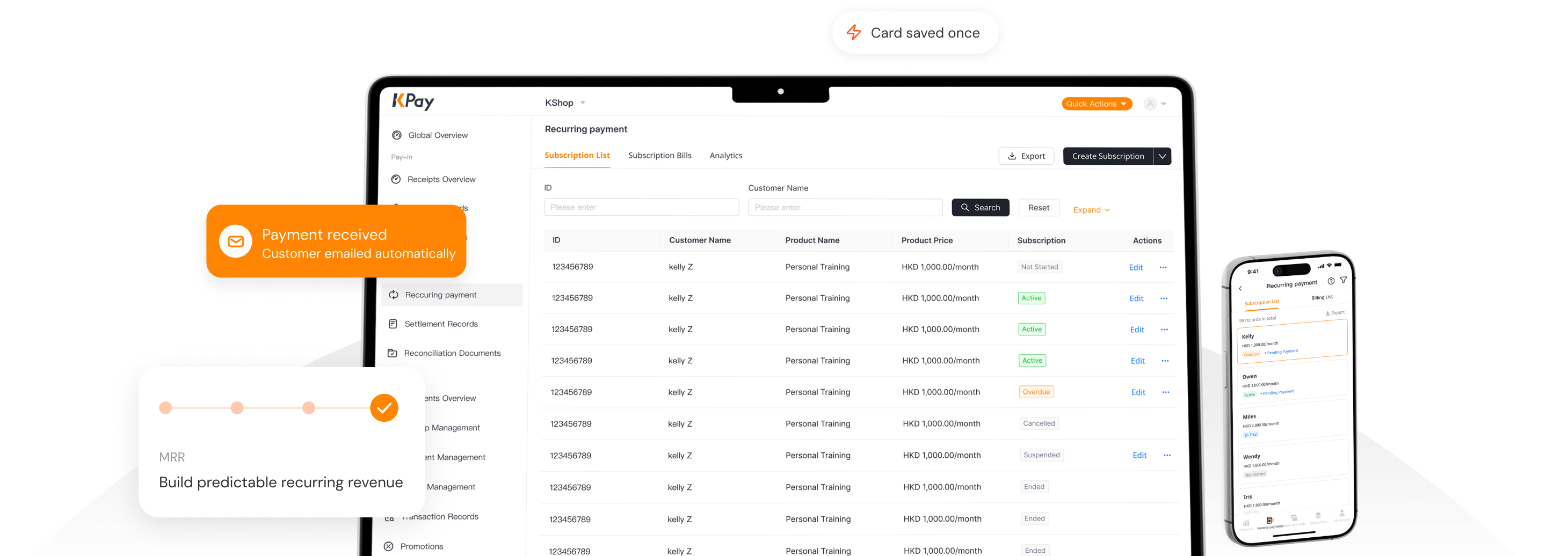
Card saved once. Every payment after that — automatic.

Charge customers automatically each cycle. No reminders, no chasing, no admin overhead.

Revenue lands on schedule every cycle, without relying on customers to renew it themselves.

Monthly billing feels lighter than a large upfront payment — making it easier for customers to say yes.
From memberships to insurance premiums, donations, and subscriptions — see how one feature fits your business.
Customers buy packages or memberships on a set schedule. Once a card is bound, billing runs automatically each cycle.
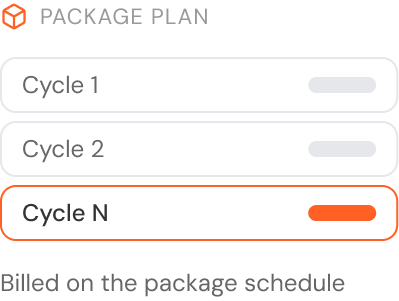
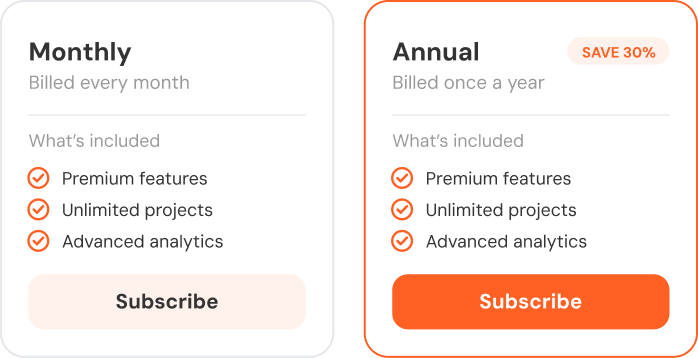
Easily create a variety of pricing models by combining different billing cycles, such as monthly, quarterly and annual subscriptions, to meet the diverse subscription needs of digital software businesses.
Premiums are charged automatically on the policy schedule, with retries that reduce the risk of lapses.
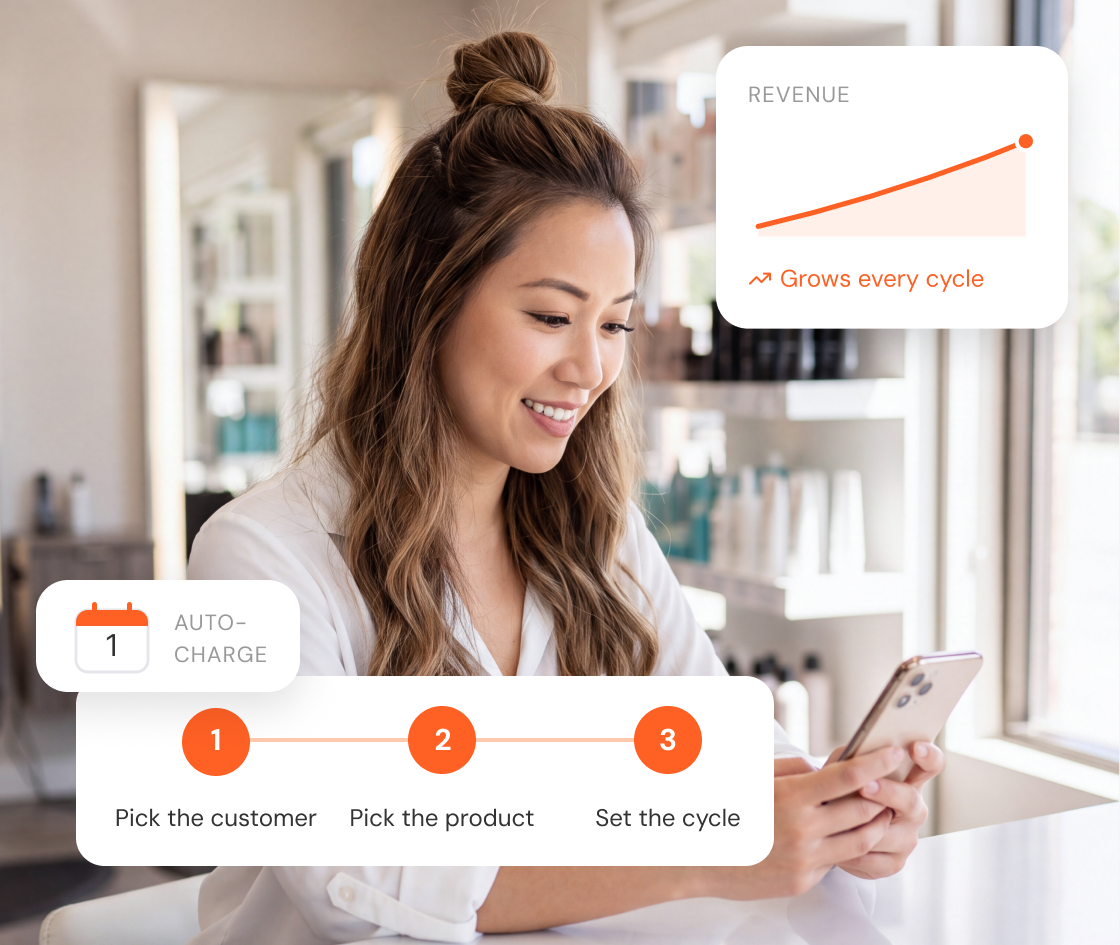

Set up directly from the dashboard, without touching a line of code.

Combine monthly, quarterly and annual billing options to suit different business models, meet customer needs and grow revenue.

Revenue comes in at regular intervals, making cash flow easier to forecast.
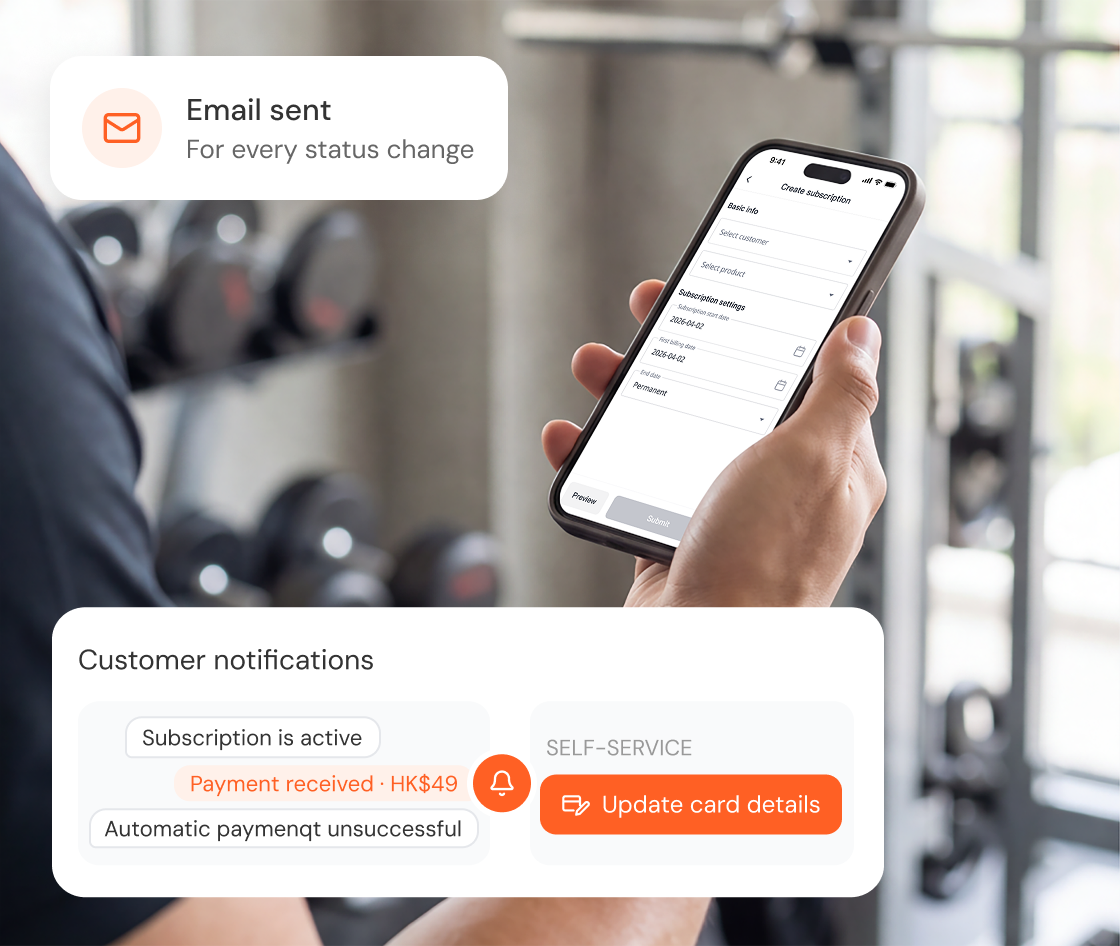

Customers are notified via email automatically whenever their subscription status changes.

Every charge, successful or failed, triggers a notification. Failed charges are retried automatically.

Customers can update their own card via a link — no merchant involvement needed.
Choose the billing cycle that matches how your product is sold.

Let customers try before they commit, so the first charge feels less of a risk.
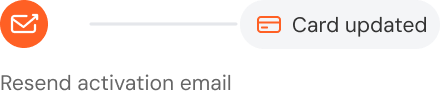
Merchants can resend the activation email from the dashboard, so customers can update their card details and keep subscriptions active.
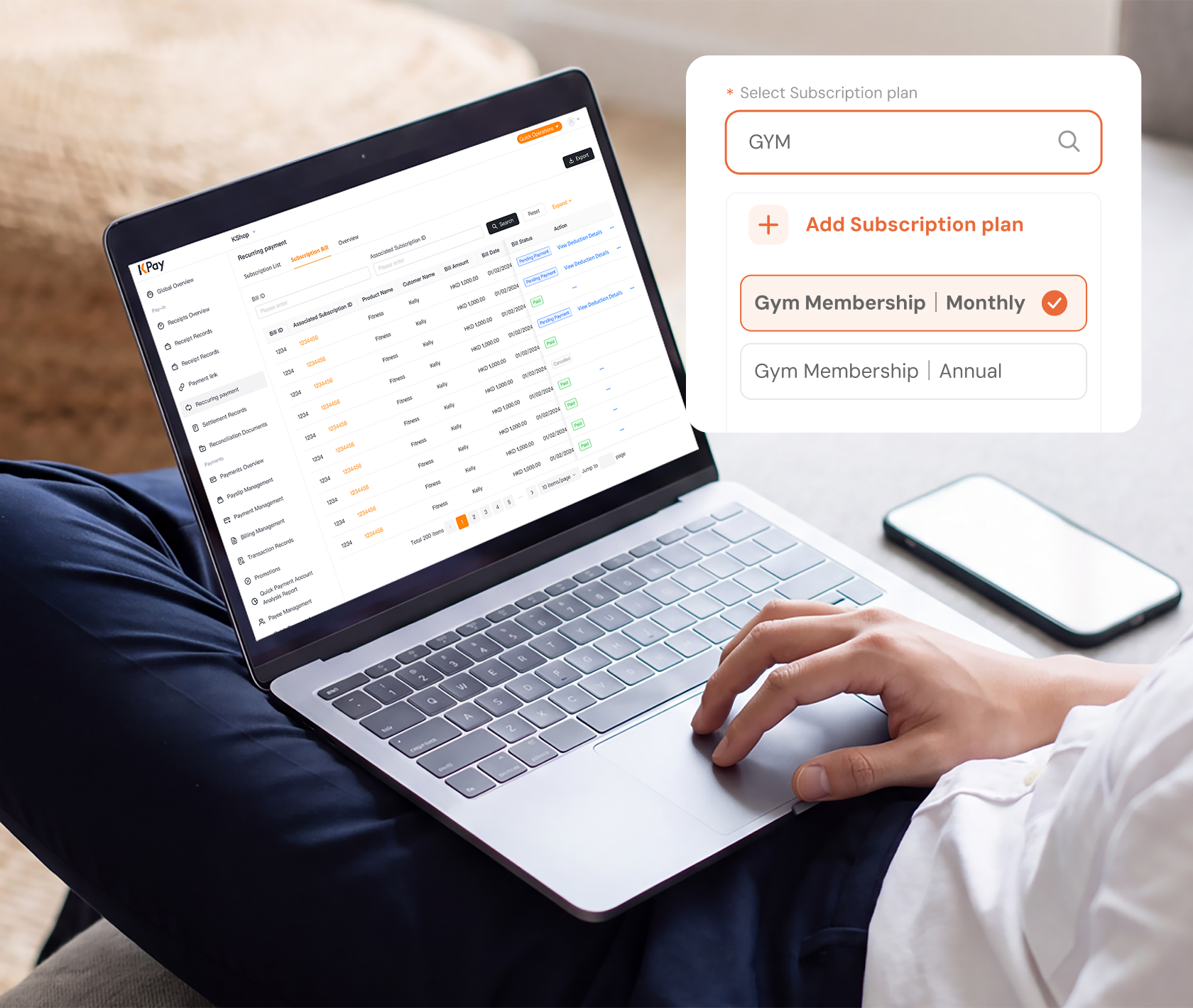

Customer contact details such as their email, name and phone can be carried over into every future subscription, with historical records made accessible.

Prices and billing cycles are set once, then reused whenever needed.

All subscription data stays in one system, with no extra systems to maintain.
The dashboard shows monthly recurring revenue in real time, so you don't have to wait until month-end to see how revenue is trending.
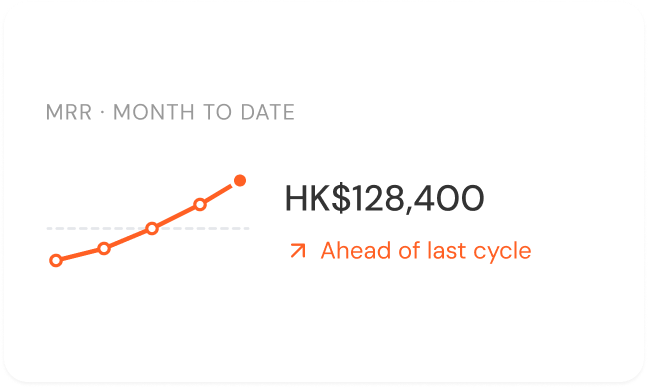
See current active subscribers alongside this month's new sign-ups and cancellations, all in one view.
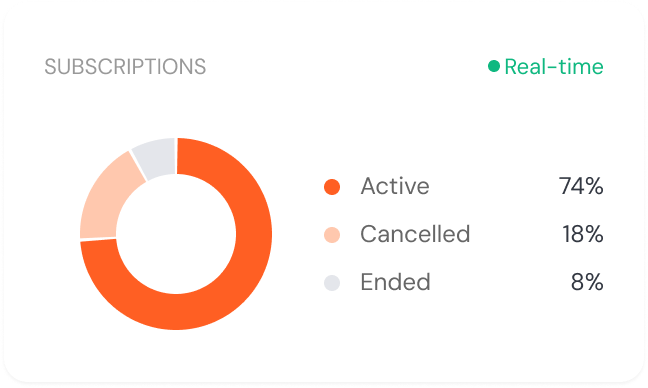
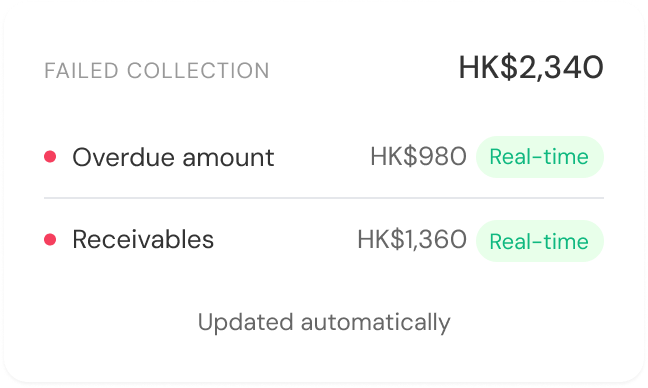
Overdue totals update automatically, so you can spot accounts that need attention before they lapse.

Choose a customer, a product, and a billing schedule. That's all it takes to get started.
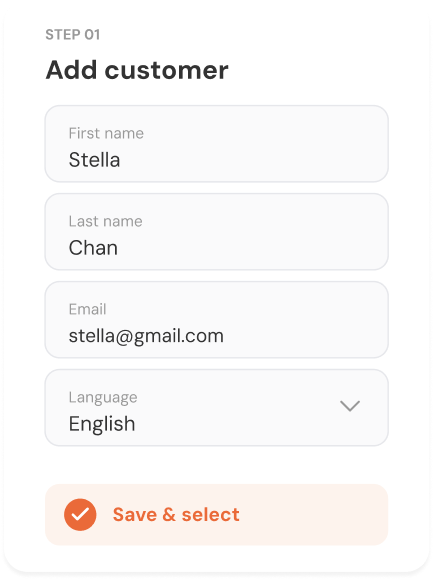
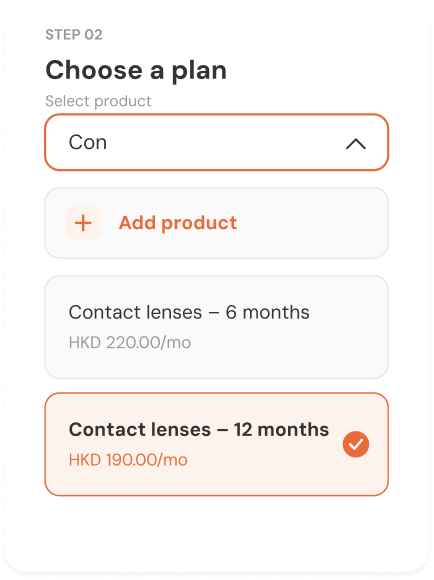
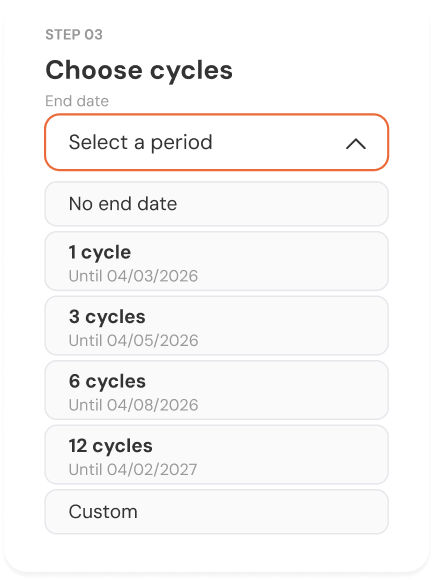

Configure everything from the KPay dashboard. No code or developer needed.

Subscribers are notified automatically whenever their status changes, so you don't have to manage it yourself.

A failed charge automatically triggers attempts in different days to collect payment again and a reminder email, with no manual intervention needed.

Recurring billing integrates with your KPay setup — nothing extra to configure or maintain.
A customer's card is saved securely on the first transaction. The merchant sets a billing cycle, and the system charges the card automatically each time it's due — no re-entry of payment details required.
The system retries the charge automatically over the following days and emails the customer to update their card. Most failed payments are recovered before the merchant needs to get involved.
No. Once a card is saved during the first payment, it's applied automatically to every future charge. There's nothing for the customer to re-enter or reconfirm.