5 Reasons you're losing sales at checkout in Hong Kong (and how to fix them)
3 May 2026
10 min read
KPay Editorial Team
Making the complex sides of financial management, business operations and digital transformation simple. We share practical tips and local stories to help you run your business smarter and grow faster.
Key takeaways
Long queues and fixed counters create decision fatigue; adopting Tap to Pay allows staff to close sales anywhere on the floor before customers second-guess their purchase.
By turning smartphones into terminals, Hong Kong merchants can remove bulky, expensive POS hardware and reclaim valuable space for more inventory or customer seating.
Moving away from manual FPS transfers or cash-only operations to unified contactless payments builds brand trust and ensures seamless reconciliation for pop-ups and events.
In the hyper-competitive retail landscape of Hong Kong, foot traffic is only half the battle. No matter how fancy your storefront is in Causeway Bay or Sham Shui Po, if your conversion fails at the final hurdle, your marketing efforts are in vain.
For many merchants, the answer to how to increase sales doesn't lie in more advertising, but in fixing the issue at the point of sale. Hong Kong consumers are efficient; they value speed, seamlessness, and technology. If your checkout process feels slow or inconvenient, you are likely losing money.
Here are five reasons why you're losing sales at the finish line and how you can better capture every dollar.
1. Long queues and counter congestion
Hong Kongers are often in a rush, and local shoppers tend to equate efficiency with professionalism. If a customer sees a long line snaking away from a single, stationary cash register, they are likely to put the item back and walk out. This is because a long queue signals an operational bottleneck, which can lead to:
Decision fatigue: The longer a customer stands in line, the more time they have to talk themselves out of an impulse purchase.
Brand perception damage: If a boutique in Tsim Sha Tsui or a cafe in Central is consistently congested, customers may start to view the brand as "chaotic" rather than "popular," eventually choosing a more efficient competitor.
This means that relying solely on a fixed counter limits your peak-hour capacity and causes you to lose out on sales.
The fix: Adopt mobile-first payments. By using Tap to Pay, your staff can turn any smartphone into a payment terminal. This removes the need for long lines when it comes to payment, as transactions can now be processed anywhere on the shop floor, ensuring that no customer leaves because the wait is too long.
2. Lack of convenience
With the massive adoption of Octopus, Apple Pay, Google Pay, and contactless credit cards, the physical wallet is no longer the first thing locals reach for when it comes to payment. In fact, leaving the house without a physical wallet is now not an accident — it is a lifestyle choice. If your payment terminal requires a manual process for every transaction, or if you operate on a cash-only basis, you are creating unnecessary friction.
If a staff member must manually type the sale amount into a standalone payment terminal after ringing it up on a separate register, they are introducing a high risk of human error and unnecessary delay. In a crowded retail space, the extra twenty seconds spent fumbling with a manual terminal feels like an eternity to a customer who is used to instant gratification.
As payment becomes a hassle, customers choose to give up on their purchase and look towards other stores that offer the payment methods they prefer.
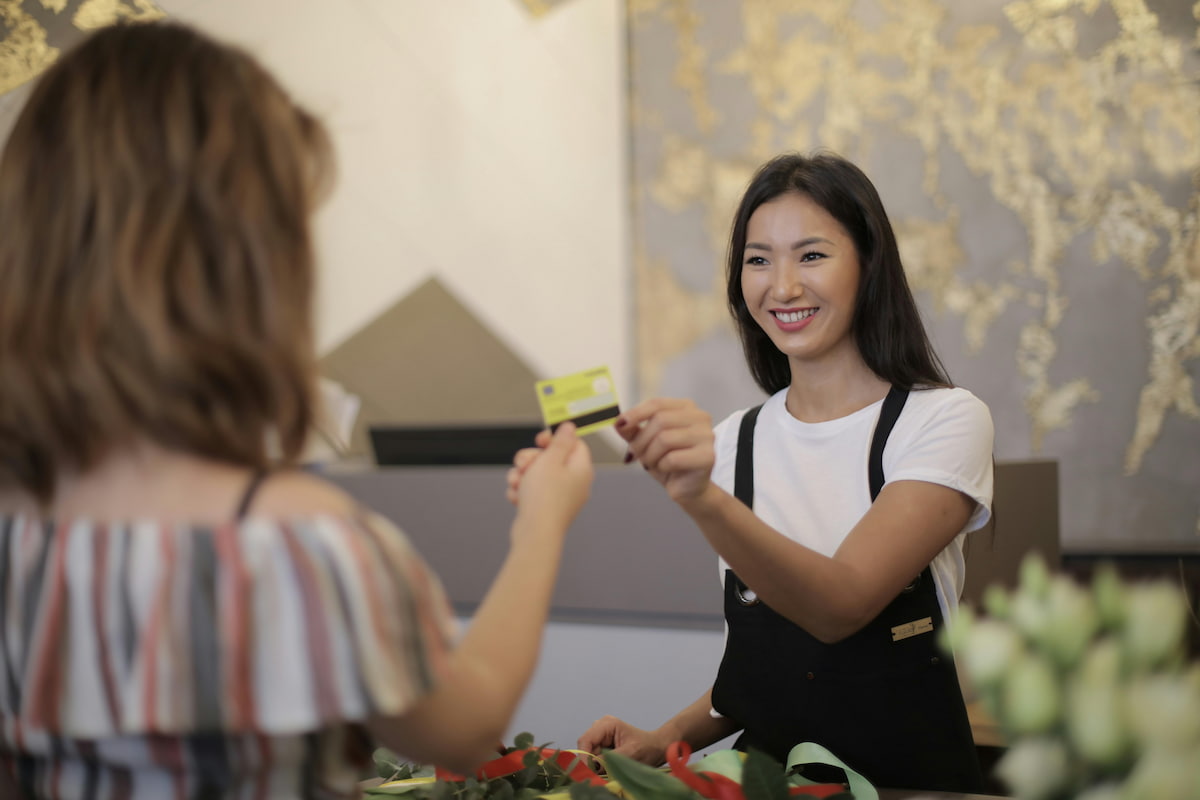
The fix: To eliminate this friction, it's important to embrace contactless payment. Both modern POS terminals and Tap to Pay technology allow you to accept all forms of contactless payments, from physical cards to mobile wallets, using just a slim POS terminal or a phone. It is the fastest way to process a transaction, meeting the need for speed when it comes to Hong Kong consumers.
3. High equipment costs and space constraints
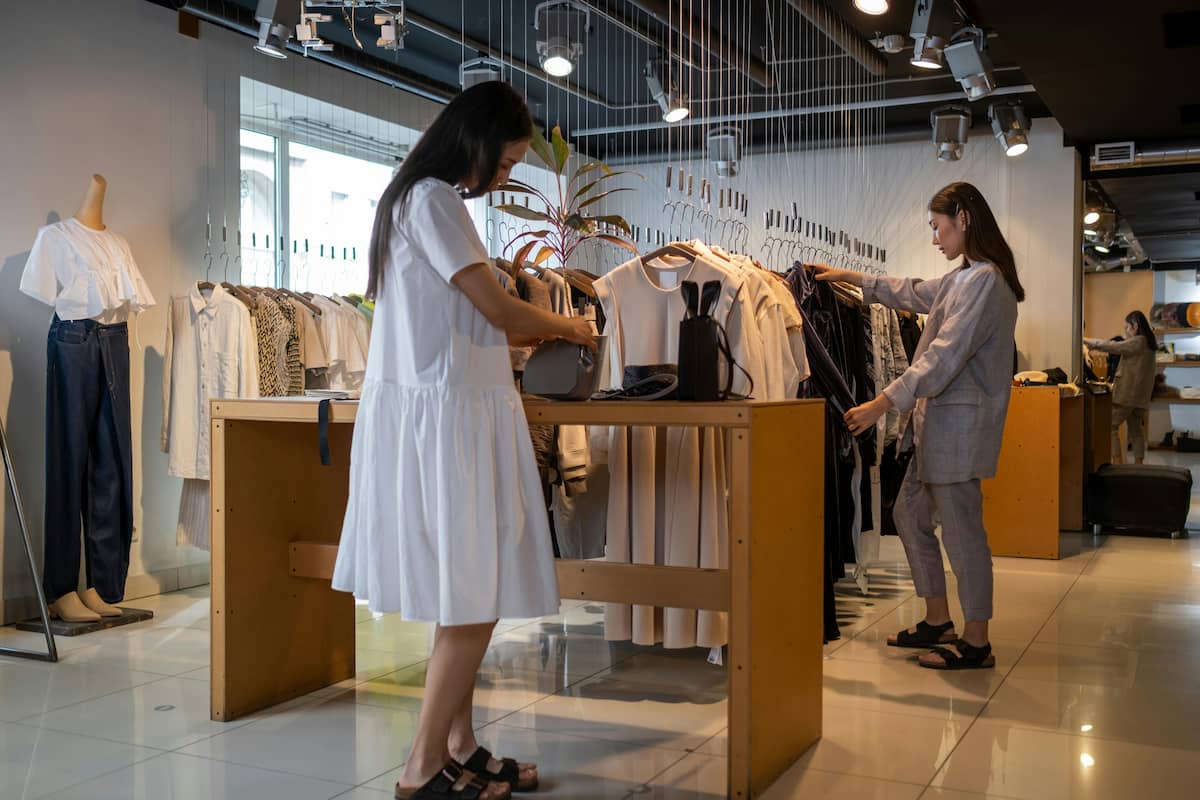
In the condensed urban landscape of Hong Kong, where every square foot of floor space carries a significant rental cost, expensive equipment and space constraints represent a major hurdle for business growth. For many SMEs, pop-up stalls, and smaller retail stores in districts like Mong Kok, the checkout counter is often a source of wasted potential.
A bulky, traditional POS system, complete with a monitor, separate card terminal, receipt printer, and tangled wiring, occupies valuable real estate that could otherwise be used to showcase more inventory or accommodate an extra table of customers. In a city where retail survival often relies on maximising your usage of space, forcing your store layout to revolve around a massive, stationary piece of hardware is a disadvantage.
Additionally, the upfront cost of professional-grade hardware can be a barrier to entry, especially for smaller or newer businesses. Traditional POS setups often require significant upfront capital for hardware purchase, plus ongoing maintenance fees and software subscriptions.
For a new business testing the market, investing thousands of dollars into a fixed terminal that might only be used for a few months feels like an unnecessary risk. This often leads smaller merchants to settle for cash-only operations or clunky manual processes that eventually result in lost sales and a poor checkout experience for customers.
The fix: Use the hardware you already own. Tap to Pay eliminates the need for extra wires, base stations, or expensive hardware rentals. By using a mobile phone as the terminal, you maximise your space and reduce overhead, allowing you to invest those savings into inventory or marketing. For Hong Kong merchants, this means the ability to launch a professional, card-accepting business quickly, ensuring that even the smallest stall can offer a world-class checkout experience without the clutter or the heavy price tag.
4. Fragmented payment experiences at events or pop-ups
Are you a merchant who participates in weekend markets at PMQ or weekend fairs? When a merchant lacks a professional, mobile-ready card processing solution, they are often forced to rely on manual bank transfers or FPS. This requires the customer to manually input a phone number or scan a QR code, navigate their banking app, and then present a "proof of transfer" screen to the merchant. This multi-step process disrupts the momentum of an impulse buy, especially when a crowd is pressing in behind them.
These fragmented methods also carry an inherent lack of perceived security and professionalism. While FPS is a staple of day-to-day life in Hong Kong, using it for a retail transaction at a pop-up stall can feel unprofessional to high-spending tourists or customers looking to purchase premium items. Relying on a shopper to show you a screenshot of a successful transfer is not only slow, but it also opens the door to potential disputes or fraudulent fake screens. Without a unified system that provides an instant, automated receipt, the merchant is left with a fragmented record of sales that can be difficult to reconcile at the end of a long event day. This administrative burden often means merchants spend hours cross-referencing their bank apps with their physical stock, rather than focusing on their next big event.
The fix: To solve this, modern Tap to Pay technology turns the merchant’s smartphone into a secure, mobile terminal that mimics the trust and speed of a physical storefront. Instead of manually verifying transactions, a customer simply taps their card or phone against the merchant’s device for an instant authorisation.
By doing so, the brand image remains professional even in a crowded market, and the customer's impulse to buy is captured the moment it happens. Without the need for manual data entry or external verification screens, merchants can process a significantly higher volume of sales during peak event hours, turning a fragmented checkout into a seamless experience that keeps the queue moving and the customers satisfied.
5. Missing out on high-ticket impulse sales
When a customer is on the fence about a product or a premium upgrade, the moment of hesitation is your biggest enemy. If they have to walk to a counter to make payment, there is time for consideration and second-guessing to set in. Often, the sale doesn't happen as the immediate excitement of the upgrade is replaced by a calculation of the total cost, and the sale often doesn't go through or reverts to the lower-cost option before the card is ever tapped.
This is because the stationary cash register forces a break in the sales conversation. In high-stakes retail environments, the goal of a professional salesperson is to maintain a seamless flow from consultation to completion of the sale. When the transaction is tied to a fixed point, the merchant loses the ability to close the deal at the moment of peak interest. This is particularly damaging for high-margin top-ups or add-on services that require a quick, confident decision. Every step away from the product and toward a bulky machine increases the likelihood of second-thoughts occurring before the purchase is even made.
The fix: Close the deal on the spot. By having your phone as your terminal, it becomes a terminal that you can carry in your pocket. This means you can facilitate an upsell conversation and immediately process the payment while the customer is at their peak level of interest. Combined with flexible payment options, this is a proven strategy for how to increase sales and average transaction value.
Why Tap to Pay is the future of Hong Kong's retail scene
The move toward Tap to Pay is crucial for the mobile-first lifestyle of consumers in Hong Kong. It offers:
Zero hardware bulk: Your business moves where you move.
Top-tier security: Built on the secure chips of modern smartphones, protecting both you and the customer.
Instant setup: No waiting for courier deliveries of hardware; activate the app and start selling.
Tap to Pay with KPay
For many businesses, Tap to Pay is designed to work alongside your payment terminals, not replace them. Merchants can continue using terminals as their primary checkout solution, while adding Tap to Pay where flexibility, mobility, or backup is needed. There’s no need to purchase new hardware, overhaul workflows, or retrain teams; Tap to Pay fits naturally into existing operations. Additionally, there is a cashier mode where there isn't a need for a registered KPay account to start accepting payments. This mode enables staff to accept payments via Tap to Pay, but does not allow them to view all business data, keeping your business data safe.
This makes it suitable for both small businesses seeking a simple way to accept payments, and larger merchants looking to improve efficiency during peak periods or across multiple touchpoints. Because Tap to Pay integrates into KPay’s platform, transactions from both terminals and mobile devices are managed together, keeping reporting and reconciliation straightforward.
Exclusive offer: New merchants can enjoy 0.2% Visa and Mastercard monthly transaction fee rebate in the first 12 months. Sign up now to start receiving payments effortlessly.
How to apply for Tap to Pay as an existing KPay merchant
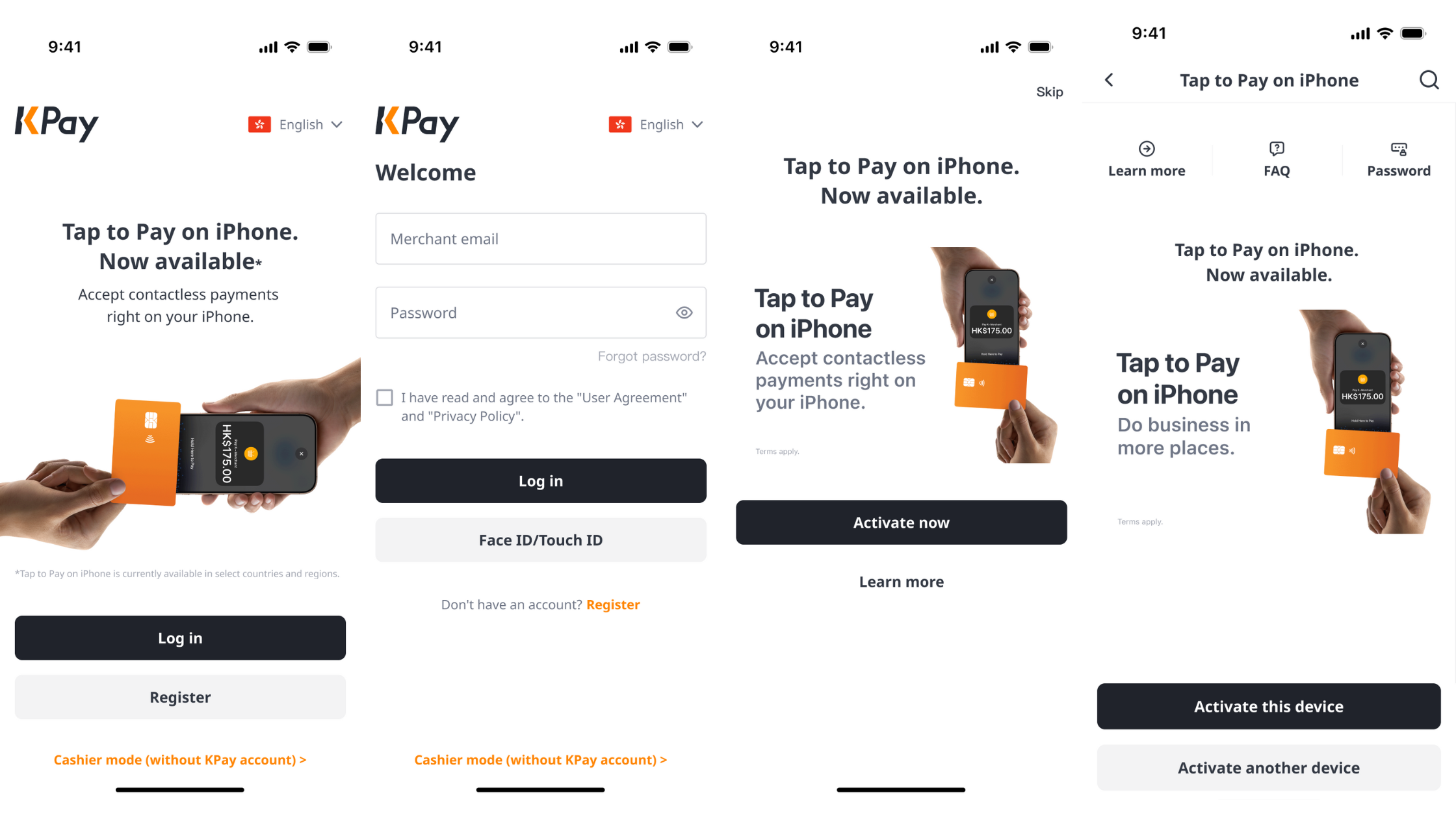
If you're already an existing KPay merchant, applying for Tap to Pay is a simple and quick process:
Open the KPay Merchant App
Log in to your KPay Merchant account
Tap on the Tap to Pay banner on the homepage, and select on "Activate now"
Activate Tap to Pay for the device you're currently using, or activate it on your preferred device
You're ready to use Tap to Pay for your business!
How to activate cashier mode?
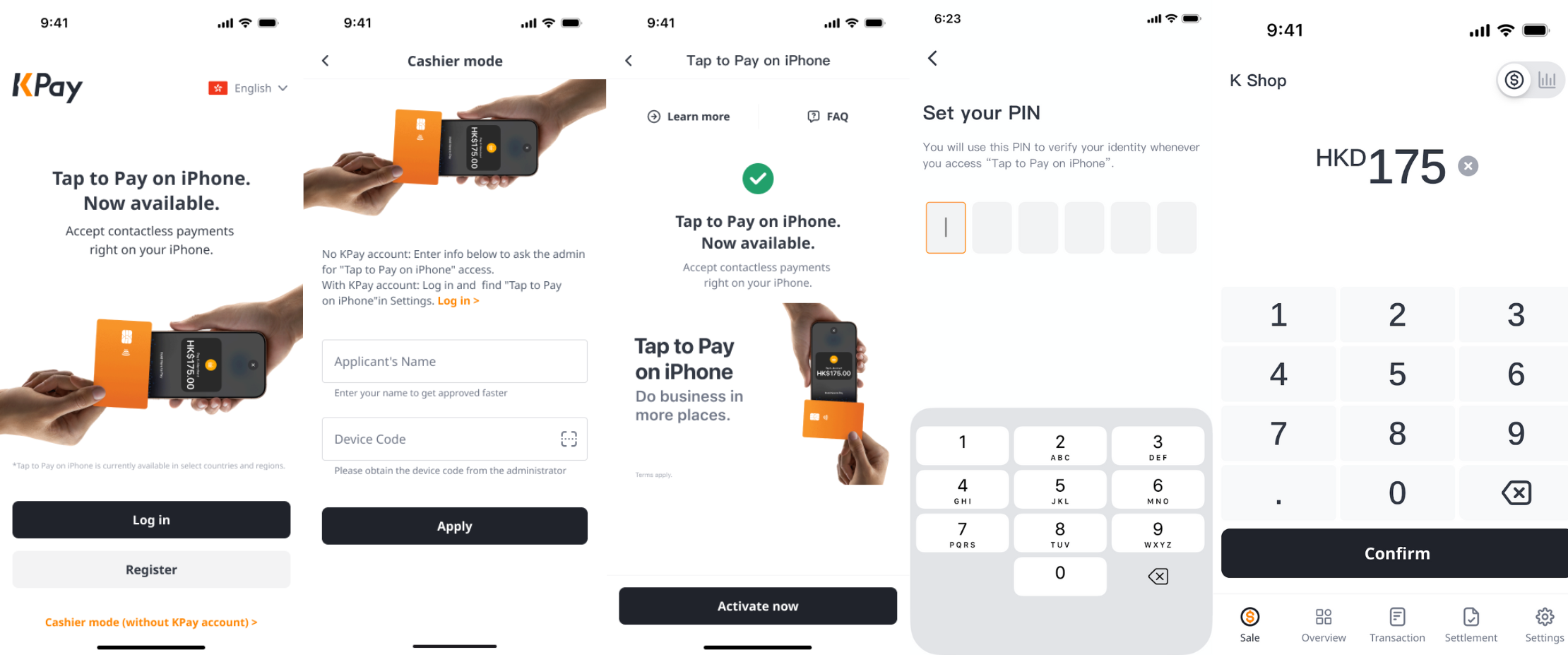
Cashiers without access to KPay accounts can also activate Tap to Pay to start accepting payments — here's how:
Open the KPay Merchant App, and tap "Cashier mode (Without KPay account)" at the bottom of the screen.
Enter the device name and device code, or scan the QR code to link your device.
Tap "Activate now" after your manager has approved on the app.
Follow the instructions to set up your PIN.
Start accepting payments using the linked device.
Is your business ready to grow?
Solving the checkout bottleneck is the most direct path to higher revenue. By removing the physical and psychological barriers to payment, you ensure that every interested shopper becomes a satisfied customer.
Sign up now with KPay to start receiving payments effortlessly or contact us to find out more today.