Prepare your SME's customer service strategy for Hong Kong's peak sales season
23 October 2026
6 min read
KPay Editorial Team
Making the complex sides of financial management, business operations and digital transformation simple. We share practical tips and local stories to help you run your business smarter and grow faster.
Key takeaways:
SME customer service strains under pressure during peak sales periods: Peak season multiplies both the volume and the variety of support demand, while team capacity stays fixed, leaving the same team to absorb far more than they're built to handle.
Service goals give peak-season support teams a clear standard to work towards: Setting a target response time, resolution time, and CSAT (customer satisfaction score) target in advance means the team knows what "good service" looks like before volume spikes, not once it's already piling up.
Not every support channel needs equal attention during peak season: Live chat and payment-related enquiries need the fastest response, since delays here risk a lost sale or an escalated dispute, while email and self-service can absorb less urgent, more detailed questions.
Leverage self-service resources to reduce your team's workload: Building a clear FAQ page and linking it across high-traffic pages such as homepage, checkout, order confirmations, and social media, lets customers resolve predictable questions themselves, freeing staff for harder cases.
Set clear expectations in advance: Defining workflows, standard operating procedures (SOPs) and team expectations in advance for your customer service strategy gives support teams a consistent standard to apply, rather than case-by-case judgement calls during the busiest period.
Your pages on your website for your mega sales offer have gone live, and ads for the sale campaigns are running. Orders are streaming in, and your team members are operating at full force to fulfil orders, process payments, and keep stock levels updated, all while customer enquiries start piling up in the background.
Your business inbox is manageable most weeks. However, with the peak sales period swinging into full gear, that inbox can quickly turn into a growing backlog your team can't keep up with. Peak sales season tests customer service capacity fast, whether you're running an 11.11 (Singles' Day) sale, or a Black Friday campaign. This is especially so in APAC, which is projected to remain the world's largest e-commerce region, accounting for more than 60% of global retail e-commerce sales in 2026, with regional retail sales growing 4.9%. For SMEs without a plan, that growth becomes a support bottleneck rather than a revenue win.
Learn why a solid customer service strategy is the foundation needed for a smoother peak sales period, and turning peak-season demand into repeat customers. Discover how you can put together a customer service strategy to prevent your team from scrambling to handle customer enquiries, and manage requests seamlessly.
Why peak season puts SME customer service under pressure
During peak sales season, there are multiple tasks for the team to juggle, including fulfilling orders, chasing suppliers,managing stock, and getting back to customer enquiries, all at a much higher volume than usual. Customer support ends up as the task that gets squeezed, even though it's the one customers usually notice most.
More orders create more points of failure
Every order during peak sales periods carries a chance of a failed payment, a stock error, or a delivery delay. Triple the order volume, and you triple the number of things that can go wrong. Each order could potentially generate a support enquiry that needs a quick turnaround, or you risk losing the sale if you don't respond in time.
New and returning customers create different types of demand
Sales events draw in first-time buyers who don't know your policies, alongside returning customers who expect faster service because they've bought from you before. The result is a wider spread of enquiries, from basic questions about delivery and returns to more specific requests, arriving at once, on top of the usual order-status volume.
Support capacity doesn't scale with sales
Order volume can double or triple during a sales event, but headcount usually doesn't. The same team handles day-to-day operations, from fulfilment, supplier coordination, stock management, to the enquiry spike, which is why response times are often the first thing to slip.
How to build a customer service strategy for peak season
Planning ahead to prevent a bottleneck of customer enquiries during peak season is crucial to ensure that manpower resources are properly allocated, and priorities are set before volume spikes, not scrambled together once it does.
Take Lunar New Year as an example. Hong Kong retail sales for January and February 2026 combined — the period spanning that year's Lunar New Year — rose 11.8% year-on-year, with online retail sales climbing even faster at 27.5%. For a Hong Kong SME, this reflects weeks of steady demand building into a single frantic period before the holiday, as customers rush to shop in anticipation of the festive season. This is where your customer service strategy comes in to ensure that customer satisfaction and team performance remain high in the face of hiccups.
Set clear service goals
Before peak season starts, decide what "good service" looks like for your team and set the expectation right with clear goals that define what success looks like. When you put together service goals, consider implementing the following factors that give your team a clear, measurable standard to work towards:
Set a target response time: The maximum time you aim for before a customer gets their first reply — not a full resolution, just an acknowledgement that their message has been seen. Customers judge service speed by how long they wait to hear back, even if the actual problem takes longer to solve. A fast first reply reduces frustration and buys your team time to work on the resolution properly.
Define a resolution time: How long it takes from when a customer raises an issue to when it's fully resolved, not just acknowledged. Setting a resolution time target keeps your team focused on closing issues, which matters most during peak periods when a growing backlog of "in progress" tickets is often the real bottleneck. For example, a payment dispute might have a resolution time target of 24 hours, while a simple order-status question might be resolved in minutes.
Implement a CSAT target: how satisfied customers are with the outcome. These numbers are typically derived from a short customer survey sent after a support interaction, asking customers to rate their experience on a simple scale. These numbers give your team a clear standard to work towards, rather than an open-ended goal like "reply as fast as possible" — which gets harder to define once enquiries start piling up.
Having these goals set in advance also gives you a benchmark to measure against once peak season ends, so you know where to improve next time.
Decide which channels to prioritise
Not every channel needs the same level of attention during peak season. By identifying where your customers are most likely to reach out and how urgently each one needs a reply, you avoid confusion and help your team prioritise accordingly. A few channels tend to matter most:
Live website chat: Best for urgent, pre-purchase or in-the-moment questions. A slow reply here often means a lost sale, since customers can simply close the tab and buy elsewhere.
WhatsApp Business: The primary channel for many Hong Kong customers, used for both urgent order questions and general enquiries. Given how often local shoppers default to it, a slow reply here carries the same risk as a slow reply on live chat — a lost sale or a frustrated customer who moves on.
Payment and order-related enquiries: These need the fastest response regardless of channel, since a delayed reply on a failed payment or missing order often escalates into a dispute or refund request.
Email: Suited to detailed or non-urgent questions, like documentation requests or account issues, where customers expect a considered answer rather than an instant one.
Instagram and Facebook Messenger: Common for browsing-stage questions and product enquiries, especially for SMEs that sell through social commerce. Slower to convert into a sale than WhatsApp, but still worth monitoring closely during a live campaign.
Phone: Best reserved for complex or sensitive issues that are hard to resolve over text, where a real conversation gets to a solution faster than back-and-forth messages.
Ranking these by urgency and visibility, rather than spreading your team evenly across all of them, means the channels that carry the highest risk of a lost sale or a public complaint get attention first.
Prepare FAQs and self-service resources in advance
Many of the questions customers ask during peak season are predictable — delivery timelines, return policies, payment methods, and order status come up again and again. Building out a clear FAQ page or help centre before peak season starts lets customers find answers themselves, without waiting in a support queue.
How to make this work:
Keep self-service resources like FAQs and customer notices visible and easy to scan: To ensure an effective self-service experience and reduce your team's workload, drafting self-service resources that are easy to understand and scannable are crucial to ensure your customers can find the answers they need quickly.
Redirect delivery status enquiries to your courier's page: Adding a direct link to your courier's tracking page lets customers check their delivery status themselves, without needing to contact your team. For example, you could link to local couriers' tracking pages, such as:
Link your FAQ page clearly from your homepage and checkout flow: Linking your resources on high-traffic pages such as your homepage, checkout flow, and order confirmation emails helps customers find answers on their own, before they ever feel the need to reach out to your support team.
Using AI and automation to extend your team's capacity
AI and automation tools can help small teams handle high volumes without sacrificing service quality. Here's how SME owners can put this into practice before peak season starts:
Turn on automated order and payment confirmations: If your e-commerce platform or payment provider supports it, enable instant email or SMS confirmations for every order and payment. This alone prevents a large share of "did this go through?" enquiries.
Set up a chatbot for your top 5–10 repeat questions: Pull these from last year's support logs or your team's memory — order status, delivery timelines, return policy, payment methods. Platforms like SleekFlow and Omnichat are popular omnichannel messaging providers in Hong Kong that allow business owners to build and integrate chatbots across WhatsApp, Instagram, and Facebook Messenger without coding.
Test your chatbot before peak season, not during it: Run it through your most common questions a few weeks in advance to catch gaps, so you're not fixing broken flows while ticket volume is already high.
Prepare for payment-related support issues
Preparing your fraud screening, dispute process, and returns policy in advance keeps these high-risk enquiries from stalling your team when volume is highest.
Build a fast-track process for order and payment disputes
E-shopping fraud was Hong Kong's most common deception category, with 12,505 cases and an 8.2% year-on-year rise, making up 28.9% of all deception cases. Set up a dedicated queue or escalation path for payment-related enquiries, separate from general order questions, so these higher-risk, higher-urgency cases don't get stuck behind routine tickets.
Set a clear returns policy before the sale starts
Decide your return and refund rules in advance:
Return window: How long a customer has to return a product, which may differ from how long it then takes to process the refund itself.
Condition requirements: The state a returned item must be in for the business to accept the return or issue a refund. Typical condition requirements include: • Unused and unworn: The item hasn't been used, worn, or washed. • Original packaging intact: Tags still attached, original box or packaging included. • No signs of damage: Not damaged by the customer after delivery (as opposed to arriving damaged, which is usually handled differently). • All accessories/components included: Nothing missing from the original order (manuals, chargers, parts). • Within the return window: Tied to the return period covered under "refund timeframe."
Evidence you'll need for disputed claims: The proof your team needs to validate before approving or rejecting a return or refund when a customer's claim is contested, such as photos of the item's condition on arrival, delivery confirmation, or courier records for a "never arrived" claim.
Getting the right payment setup before peak season
One of the most effective ways to reduce payment-related support volume is to solve friction before it reaches your customer service team. During peak season, a slow checkout, a failed transaction, or a payment method your customers can't use doesn't just cost you a sale — it generates a complaint, a follow-up message, or a negative review that someone on your team has to handle.
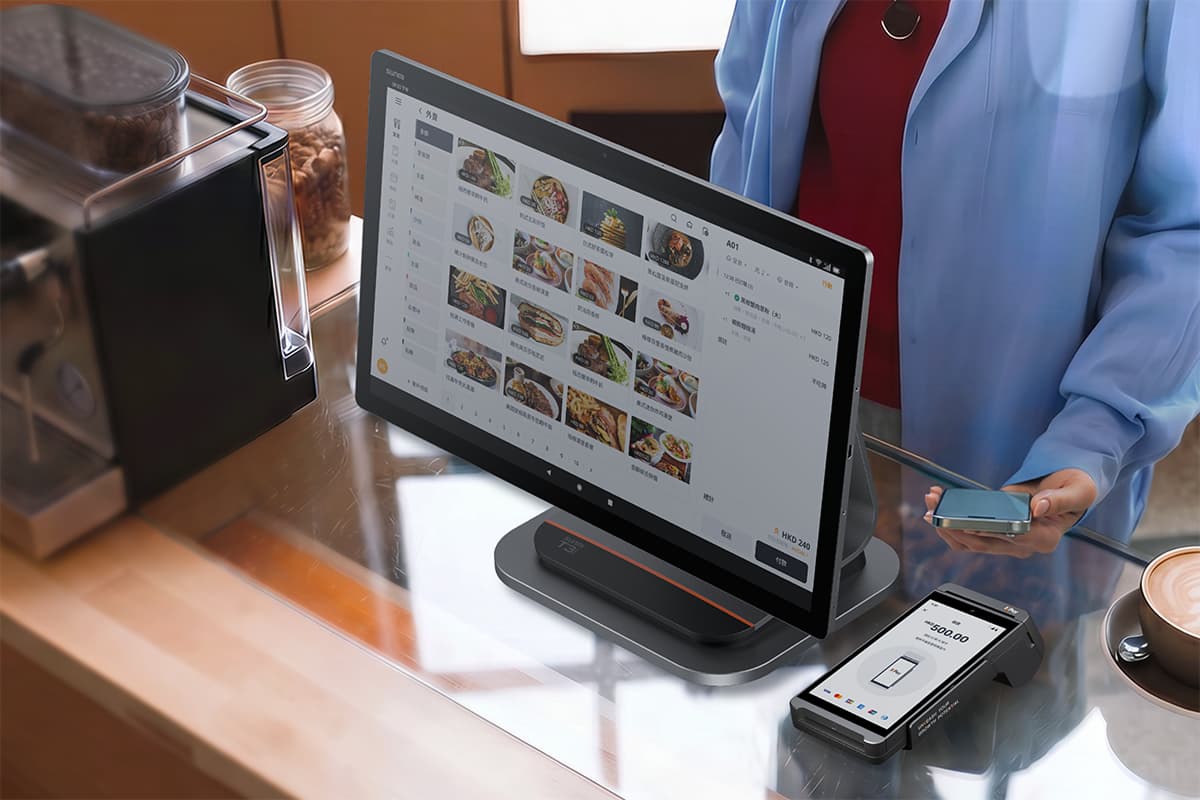
For in-store merchants, terminal reliability matters more than merchants often realise until something goes wrong. A queue of ten customers waiting while a payment terminal hangs or reboots is a customer service problem before anyone has even picked up the phone.
KPay Terminal Pro
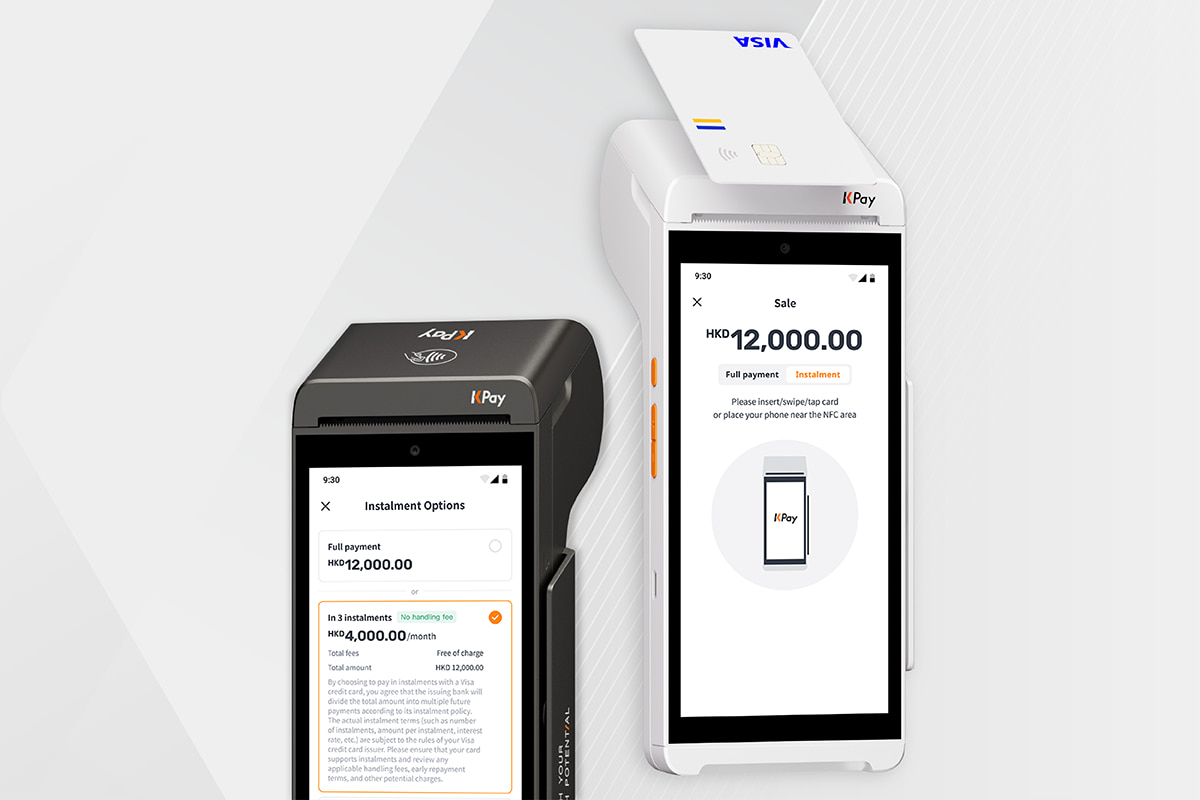
KPay's Terminal Pro supports multiple payment methods, so your front-line staff aren't turning customers away at the point of payment.
Accepts 20 major payment methods seamlessly on one portable device.
No subscription fees, annual fees or terminal rental fees.
24/7, 365-day customer support to ensure merchants get up and running quickly should any issues occur.
With KPay Terminal Pro, you can reduce counter clutter, accept multiple payment methods, and quicken the payment process, letting your staff focus on other important aspects of the business.
For online merchants, the gateway experience shapes how customers perceive your brand, often as much as the product itself. A checkout that's slow to load, limited in payment options, or unclear in its error messaging will push customers to abandon, and those who don't abandon often follow up asking whether their payment went through.
KPay's Payment Gateway supports a wide range of payment methods and provides clear transaction feedback, which reduces the "did my order go through?" queries that spike during high-traffic sale periods.
Accept secure payments with KPay Payment Gateway
KPay Payment Gateway gives online merchants a fast, secure, and flexible payment experience, removing the complexity often faced during integration and reducing the number of failed transactions:
3 integration modes: With 3 different integration modes — "all-hosted page", "hosted page", and "full API integration", merchants have the flexibility of choosing a solution that meets their business needs.
All major payment methods, one integration: For businesses using "all hosted mode", you can accept major credit and debit cards, e-wallets, and local payment methods across Hong Kong, Mainland China and beyond from a single unified checkout.
Launch with professional support: KPay provides a complete walk-through and full developer documentation during integration and onboarding to ensure a smooth journey. KPay also ensures PCI compliance, and offers centralised reporting via one dashboard.
Enterprise-grade security: KPay is ISO 27001 certified, attained PCI DSS Level 1, partners with HSBC, and holds regional operating licenses across multiple regions such as Hong Kong, Australia and Singapore.
Getting your payment infrastructure right before peak season isn't just an operations decision — it's a customer service one. Every smooth transaction is a support ticket that never gets raised.
FAQs
What is the biggest customer service challenge during peak season for SMEs?
The biggest challenge is enquiry volume outpacing team capacity. Orders, payment issues, and refund requests can spike several times over within days, while most SMEs run peak season with the same headcount as a normal week. Without a plan for channel prioritisation, self-service resources, and clear service goals, response times slip fast, and customers move to public channels like social media when they can't get a quick reply.
Can AI replace customer service staff for SMEs during peak season?
No. For an SME, letting AI or a chatbot handle repetitive, high-volume questions such as order status, delivery timelines, and return policy is an effective way to reduce your team's workload. Reserving your staff's bandwidth to focus on cases that need a person's judgement, like payment disputes or complaints, keeps service quality high on the enquiries that matter most, even when overall volume is at its peak.
How should I balance AI and my SME's resources during peak sales periods?
AI is great for absorbing the high-volume, repetitive side of support, and keeping your team focused on the cases that need a person. In practice, this means a chatbot or automation handles order status, delivery timelines, and general policy questions. Meanwhile, payment disputes, complaints, and unusual returns go straight to staff.
Get in touch with KPay to find out how our range of payment solutions can help your team streamline operations and attend to customer enquiries quicker this peak sales season.




















%20(4).png)


.png)
