In Q3 2026, we're excited to introduce KPay Loyalty — a new product designed to solve one of the most common challenges merchants face: staying connected with customers after a purchase completes.




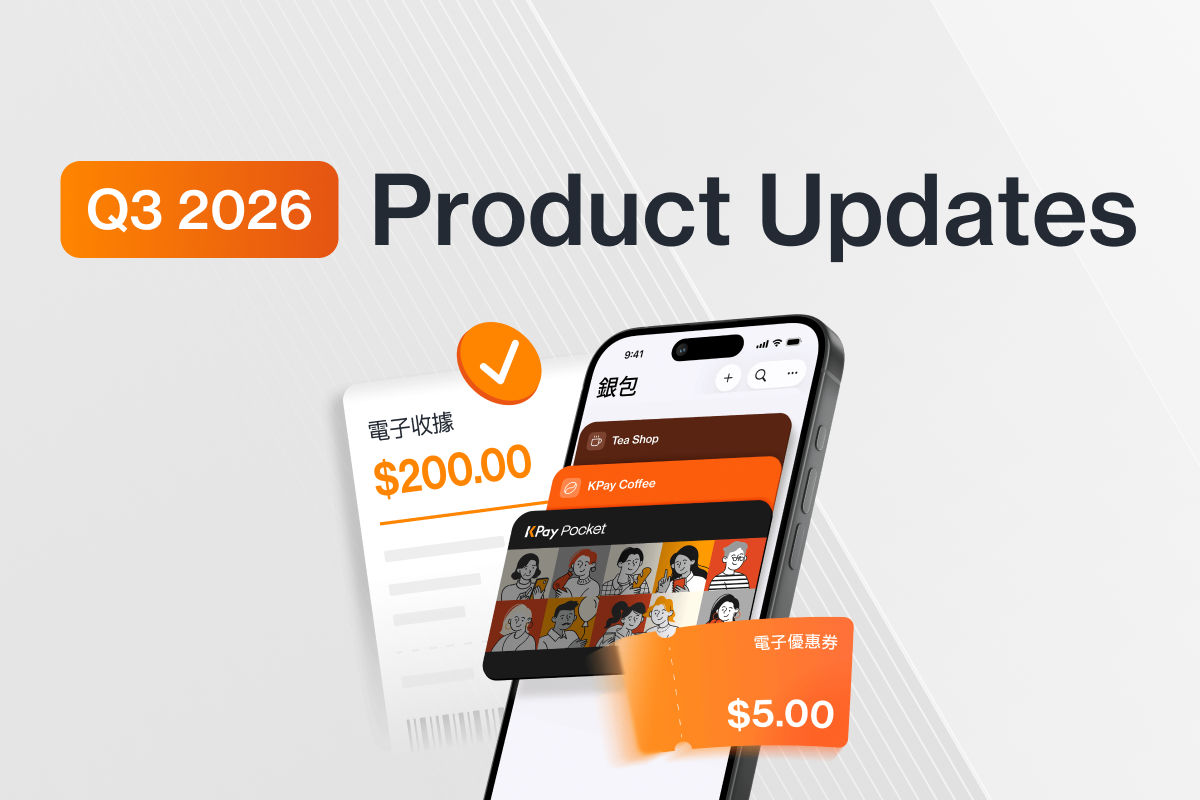

In Q3 2026, we're excited to introduce KPay Loyalty — a new product designed to solve one of the most common challenges merchants face: staying connected with customers after a purchase completes.
Merchants lose customers between transactions not because they're disloyal, but because there's no friction-free way to reach them once they've walked out the door. KPay Loyalty helps to close that gap.
KPay Loyalty bundles 3 products, Digital Receipts, Reward Management, and KPay Pocket into one solution that helps bring customers back after every purchase. With no membership platform to build and no app for customers to download, merchants get a direct line back to customers from the moment a payment completes.
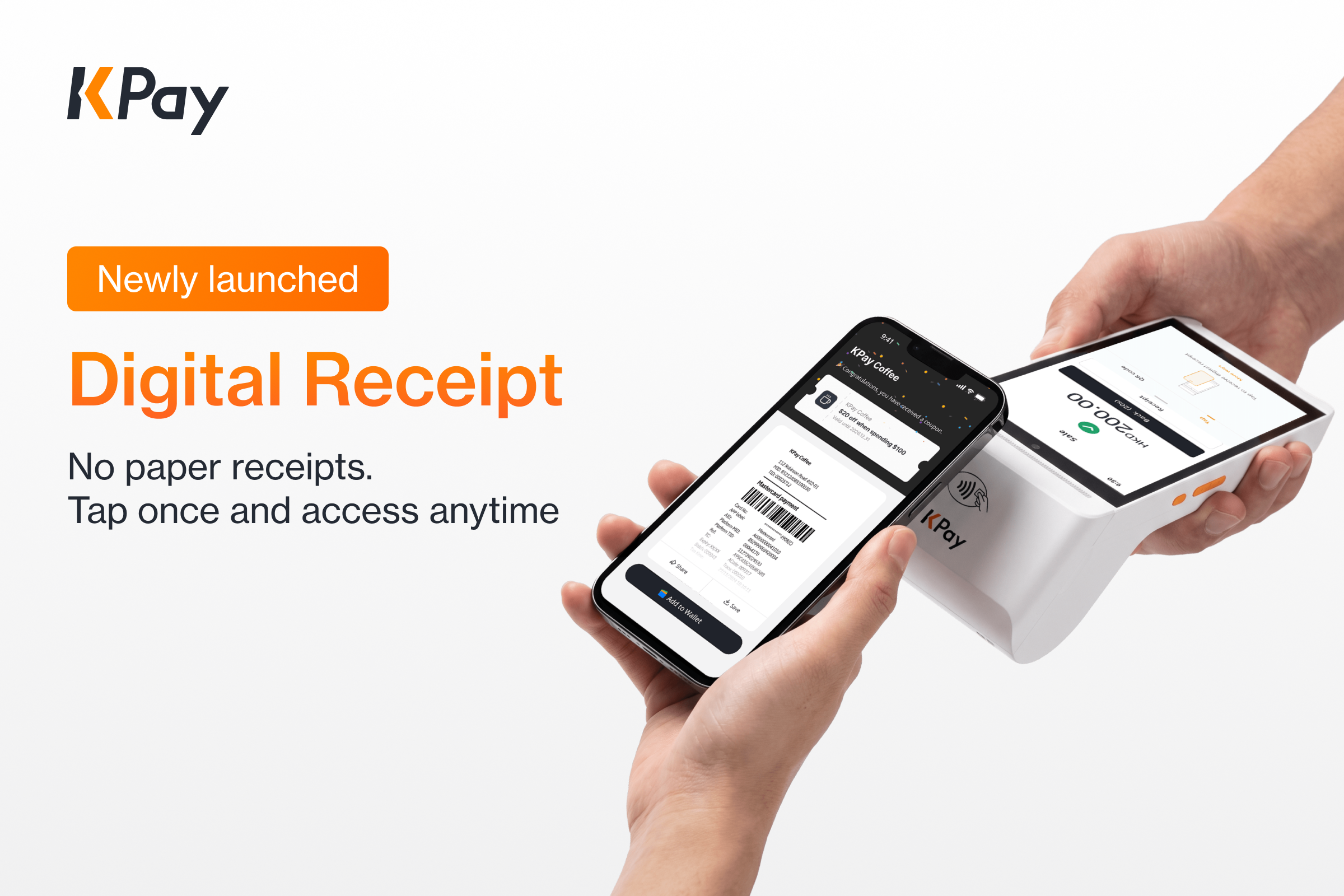
KPay Digital Receipt delivers receipts via NFC tap, QR code scan, or email. This means that no paper rolls or printers are required. It's the native receipt solution for all KPay in-person payment terminals.
Turn every receipt into a reason for customers to come back.
A digital receipt does more than record a transaction as it can also include a coupon, giving merchants a direct way to stay connected with customers and encourage repeat visits. It's an opportunity that a paper receipt, easily discarded after purchase, simply can't offer.
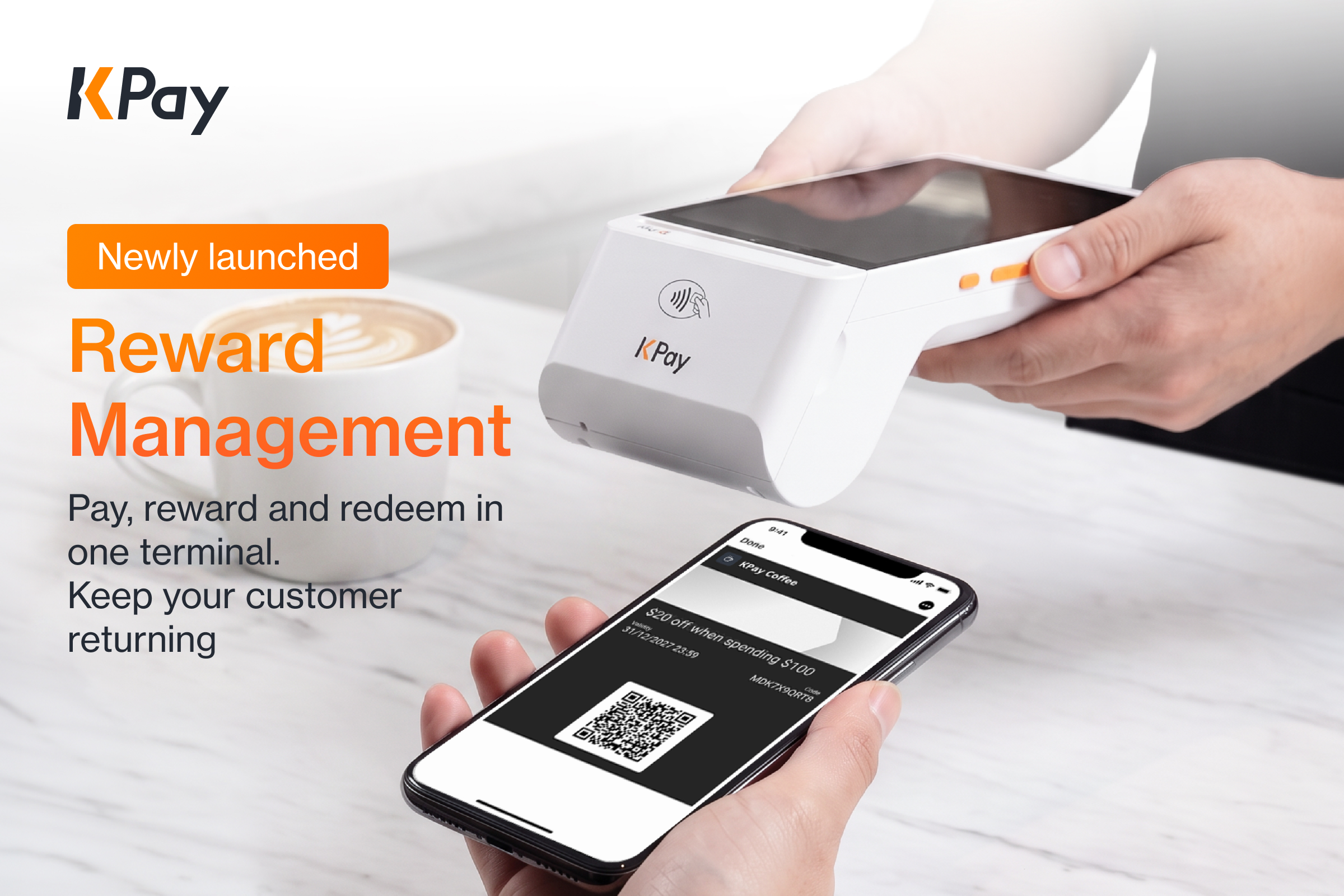
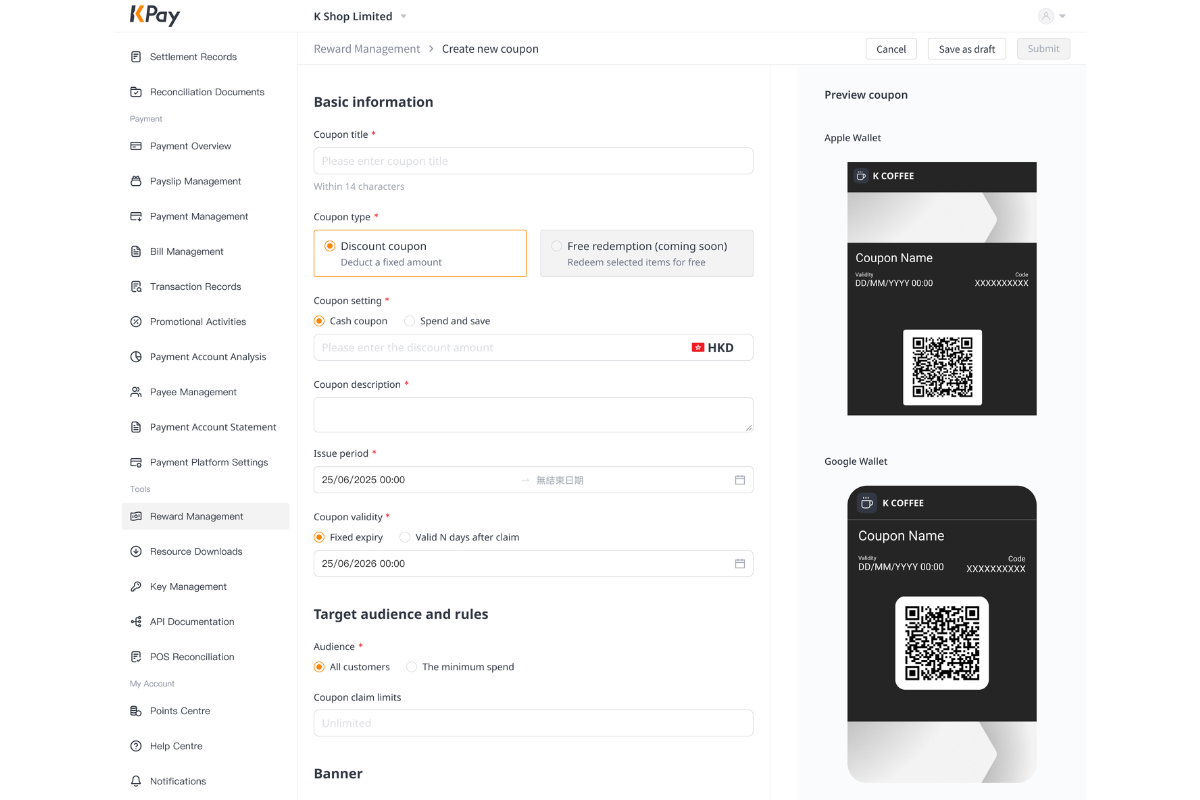
To turn every receipt into a coupon, you need Reward Management. Setting up a coupon is simple and fast. Merchants can create coupons through the KPay App or KPay Dashboard, with setup taking as little as 3 minutes. Once the coupon is live, merchants can track performance through the KPay Dashboard, including the number of coupons issued, claimed and redeemed, as well as the redemption rate — giving them a clear, real-time view of usage and coupon performance.
If any of these customer retention headaches sound familiar, it’s time for a change:
KPay’s Reward Management makes loyalty effortless for both you and your customers.
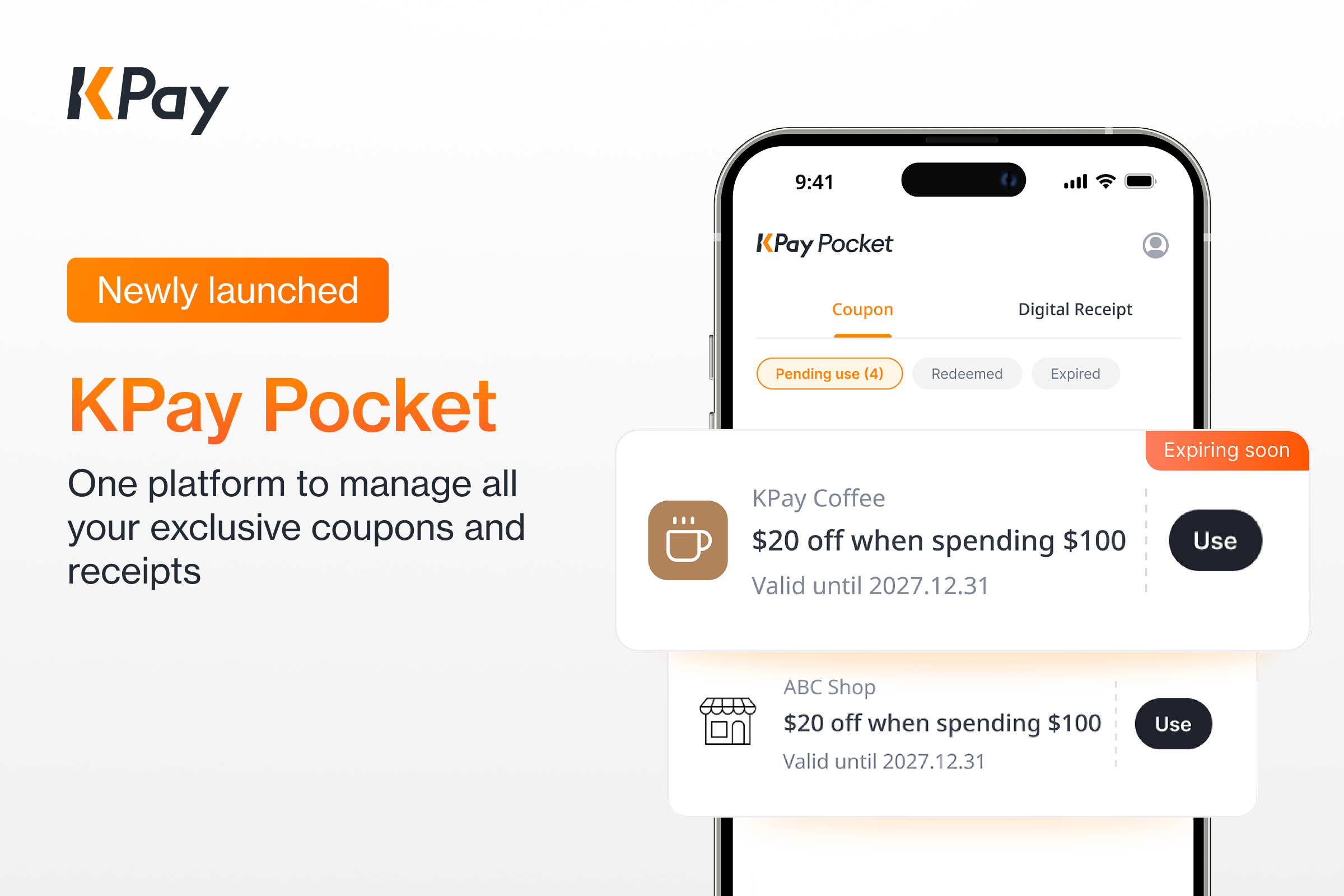
So, how do customers actually keep and store these coupons?
No downloads, no registration — save offers directly to customers’ mobile wallets
Customers can save the coupon directly to their KPay Pocket when they receive their Digital Receipt. When they return to the store, they simply present the coupon to redeem it. The offer is there when they need it, with no extra app, registration, or effort required.
KPay Pocket is the first customer-facing product provided by KPay, designed to centralise digital receipts and coupons from all KPay merchants in one place. No app download is required. After any KPay transaction, consumers can access KPay Pocket through the digital receipt page and log in with their email address to see all their receipts and coupons from KPay merchants under a single account.
Previously, a consumer who shops at several KPay merchants ends up with a separate receipt link and a separate coupon for each one, with no way to see them side by side even though they all run through the same KPay infrastructure. KPay Pocket removes that fragmentation: one login covers every KPay merchant the consumer has ever transacted with, and becomes more useful the more KPay merchants they shop at.
To enable KPay Loyalty, follow the setup steps below.
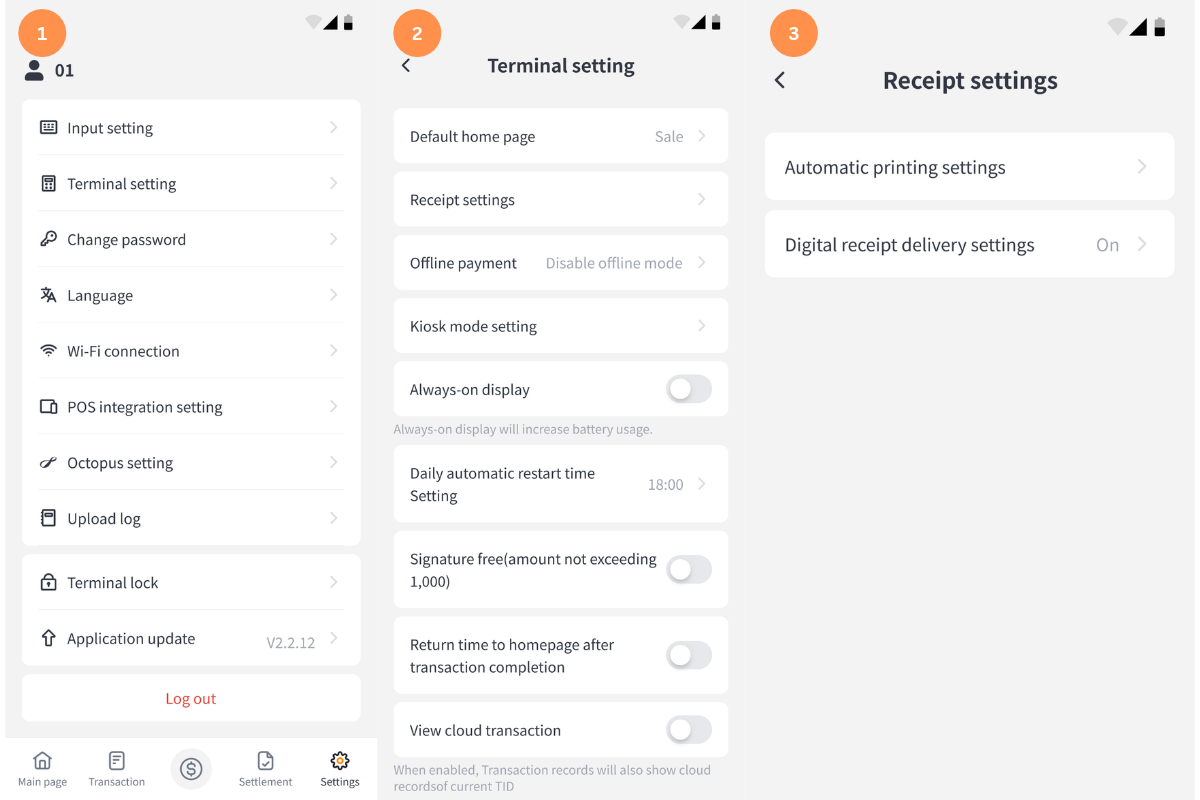
1. Ensure your terminal is updated to v2.2.12 or above.
2. Tap the "Settings" icon in the bottom-right corner to open the Terminal setting page.
3. Tap Receipt settings, then enter the [Receipt settings] page.
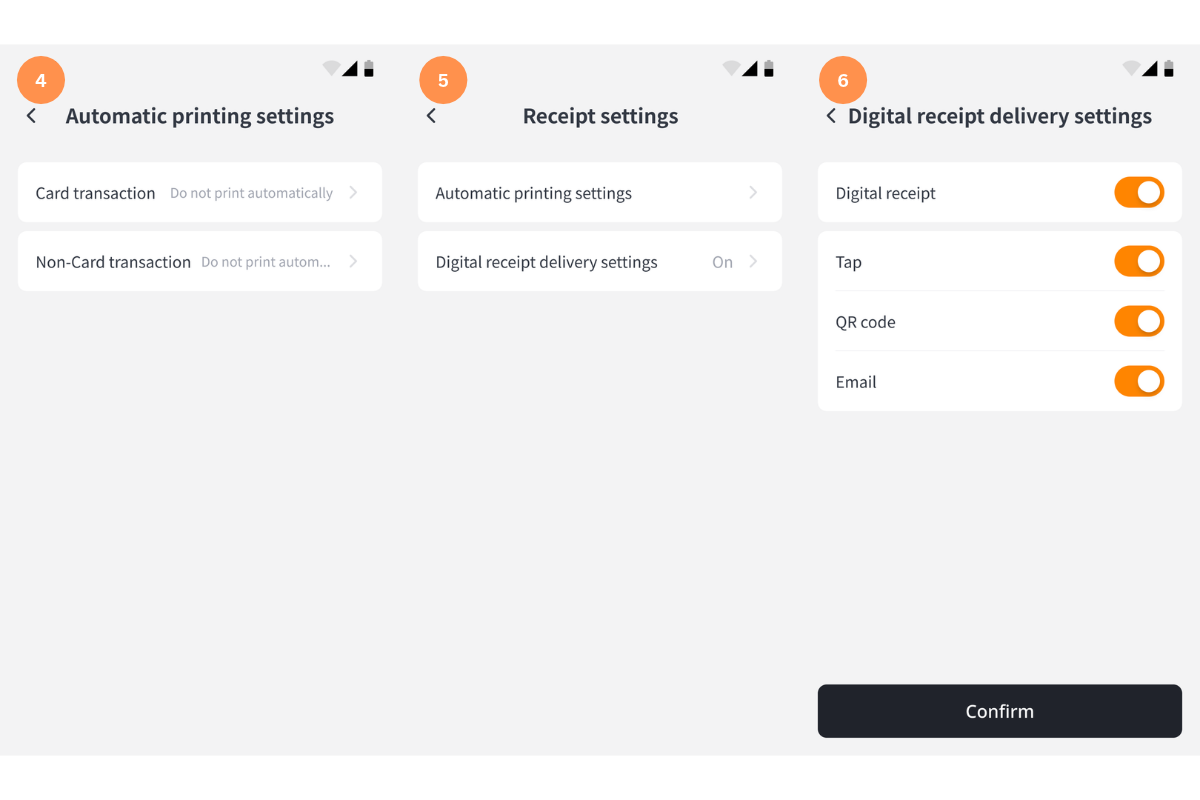
4. Tap on the [Automatic printing settings] then select "Do not print automatically" to disable automatic paper receipt printing. Digital receipts will be used as the primary receipt format.
5. Return to previous page then select [Digital receipt delivery settings].
6. Enable digital receipt and configure the corresponding delivery methods.
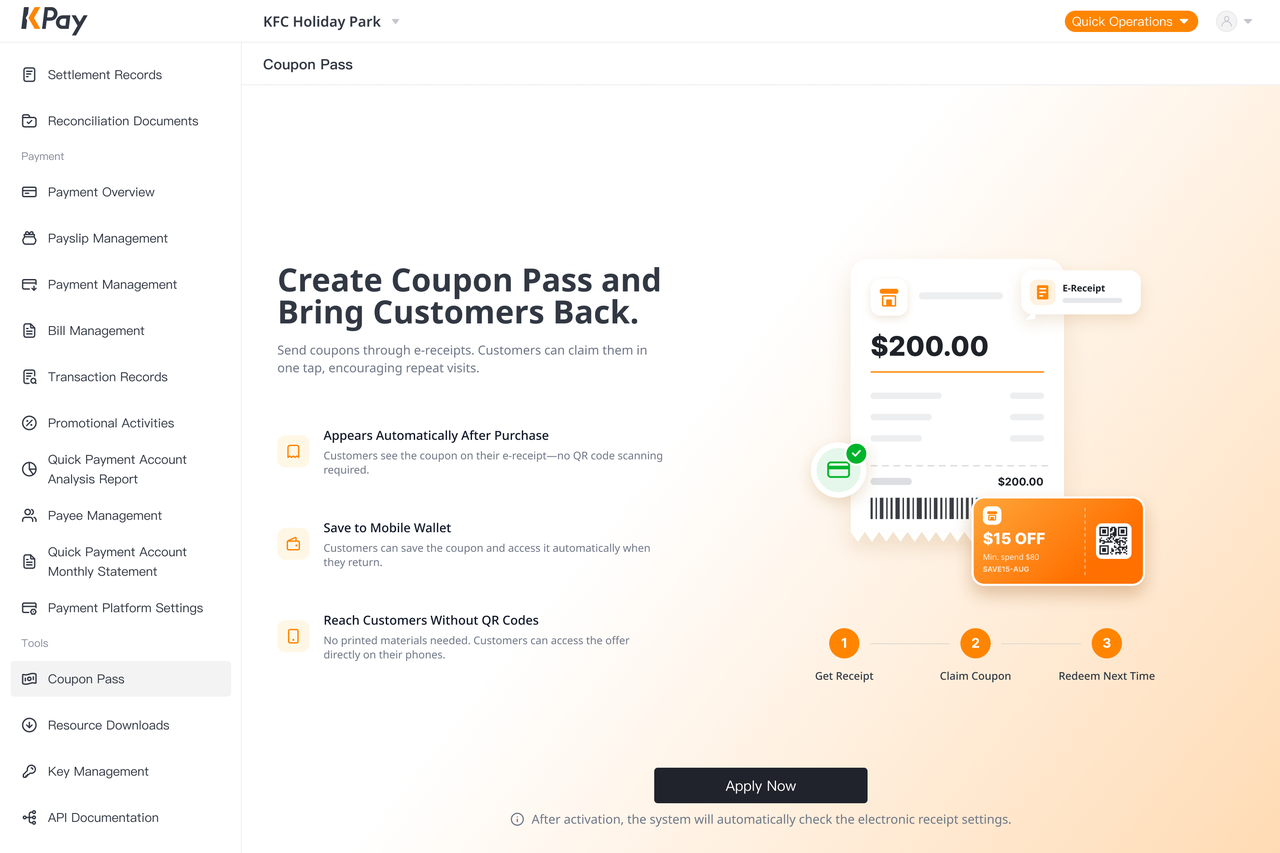
1. Navigate to the Reward Management page in KPay Dashboard. For first-time setup, please configure your brand settings.
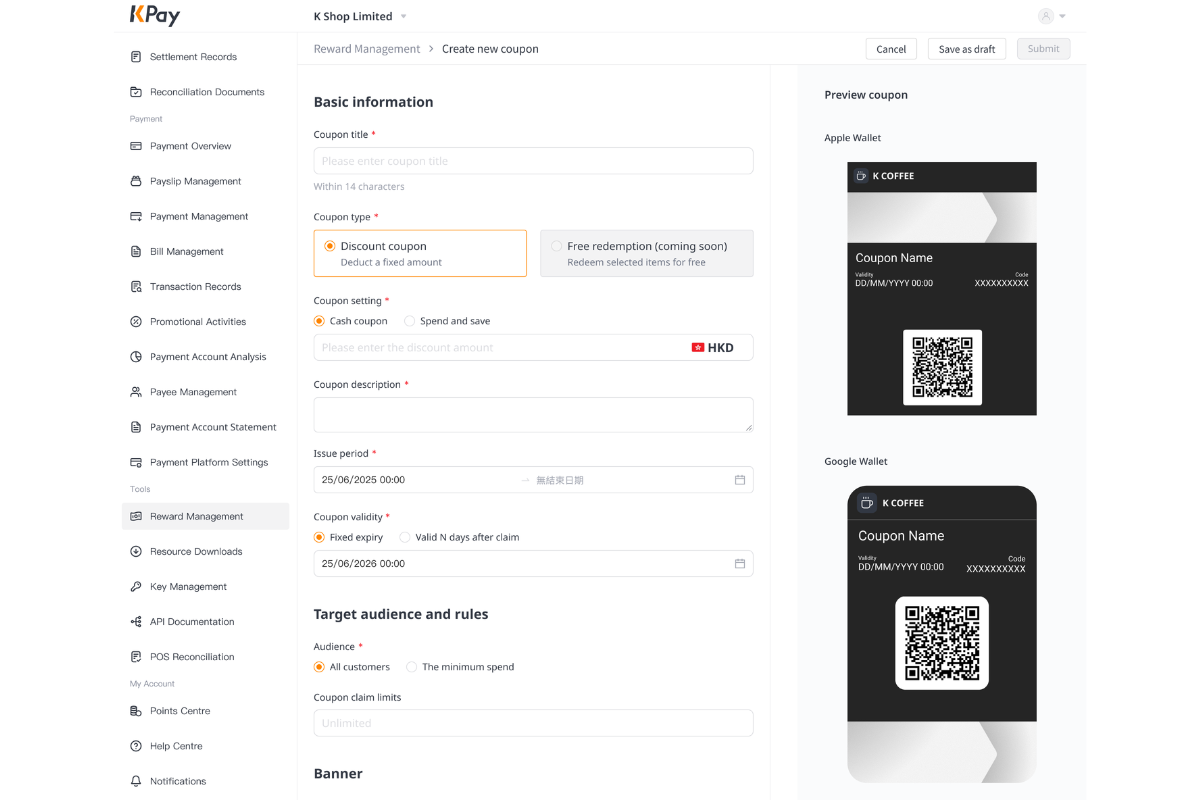
2. Once set up, select [Create Coupon] option to start creating your coupon and configure details such as discount values, promotional periods, and eligibility criteria.
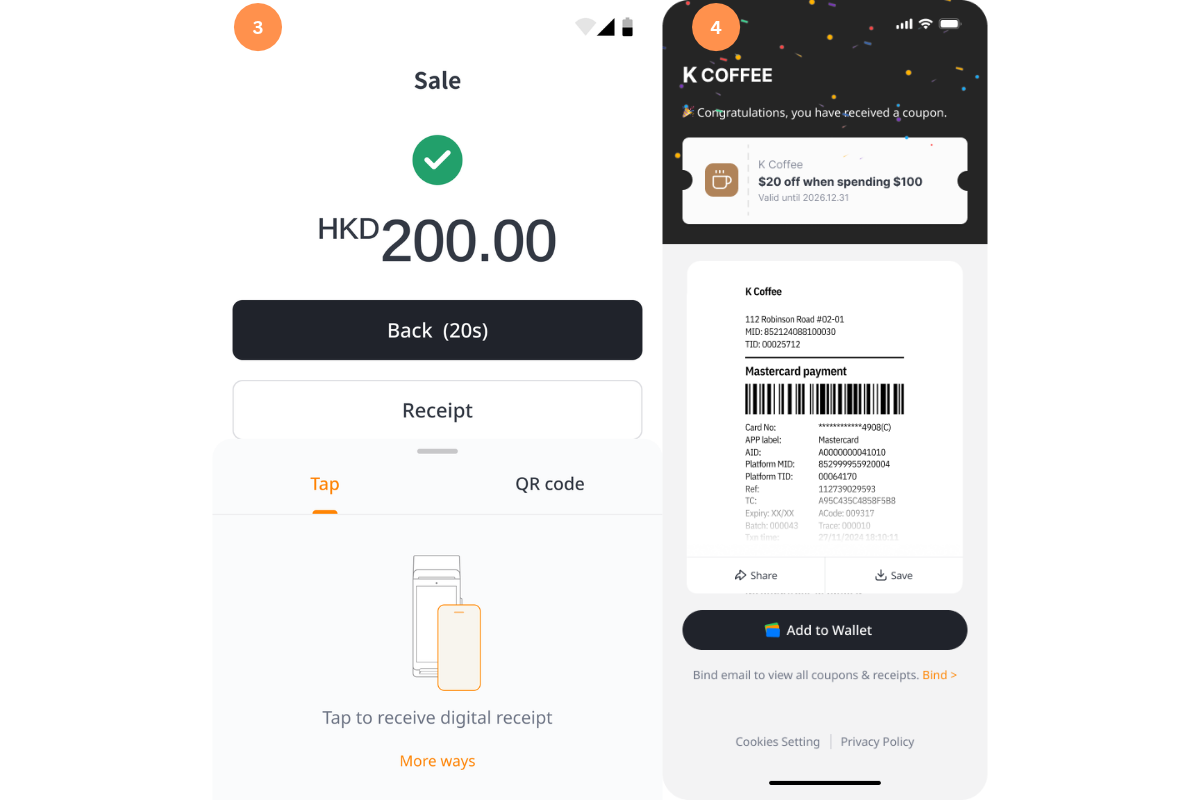
3. Once the coupon is set up, eligible customers will automatically receive a digital receipt and coupon via the terminal.
4. This is how the Digital Receipt and Coupon appears from a customer's perspective.