No invoice needed: How service providers can accept card payments on the spot
24 August 2026
5 min read
KPay Editorial Team
Making the complex sides of financial management, business operations and digital transformation simple. We share practical tips and local stories to help you run your business smarter and grow faster.
Key takeaways:
Invoicing creates a payment gap that costs more than time: Waiting on unpaid invoices doesn't just delay cash. It can also distort your financial picture, tighten day-to-day cash flow, and increase the risk of bad debt the longer it goes uncollected.
Revenue on paper isn't cash in hand: Because revenue is recorded when earned (not when paid), businesses can look profitable in their books while still lacking liquid cash to cover expenses or commit to growth decisions.
Card adoption in Hong Kong is rising: With credit card circulation increasing significantly year-on-year, on-the-go providers risk turning away paying customers if they can't accept cards on the spot.
Getting paid the moment the job is done reduces the invoicing burden: For jobs with a fixed price and a clear completion point, collecting payment instantly means less time chasing clients and reconciling invoices at month-end.
Tap to Pay closes the card acceptance gap — it doesn't replace your other tools: Cash, FPS transfers, and QR codes still have their place; Tap to Pay simply ensures you're ready to accept the major payment methods used by your customers.
This cycle is especially frustrating: you've completed the job, the client is satisfied, but getting paid still means waiting days, sending reminders, or reconciling a stack of invoices at month-end.
One way to shorten that gap: for jobs with a final price and confirmed completion status, turning your phone into a payment terminal to skip the invoicing process can help to eliminate the wait between finishing the job and receiving payment. Learn why a tight, streamlined payment flow matters, and discover how improving your payment collection process can ease the administrative burden of bookkeeping.
The cost of unpaid invoices for your business
An unpaid invoice may show up as revenue on your balance sheet, but it's not yet liquid cash in your business account. When such discrepancies arise in your business records, this can lead to real, compounding problems for your business trajectory, and affect any potential business decisions you need to make. The consequences of accumulating unpaid invoices can show up as:
Misleading picture of your business finances: Earned revenue is documented regardless of whether your customer's payment is received or not. This means that an unpaid invoice can be recorded as revenue and accounts receivable on your books, even though the money itself hasn't been received. On paper, your business may seem profitable, while your cash position is tight. You need file accounts according to Hong Kong accounting standards, and pay profit tax based on your assessable profits under Hong Kong's tax legislations, despite the discrepancy between your accounts and actual cash position.
Cash flow issues: Bills, supplies, and your business expenses still need to be paid on schedule, regardless of whether your client invoices are cleared on time. When your earned revenue is tied up as unpaid client invoices, cash is tighter, and you have less capital available to cover your recurring day-to-day expenses. Optimising your business cash flow is difficult as you have less control over your finances when you depend on timely payments from your customers.
The fix: From invoice to instant payment
For jobs with a fixed price and a clear point of completion, there's a simpler alternative to sending an invoice and waiting: collecting payment the moment the job is done. Instead of billing your client after completion and awaiting their payment, on-the-go providers can turn their phone into a payment terminal with Tap to Pay and close out the job. Service delivered, payment collected — all in the same visit.
However, this doesn't require an overhaul of your existing payment systems. Whether you're now relying on cash, FPS transfers, or QR codes, these payment methods still have their place. For the client in front of you without cash or a mobile connection to complete an FPS transfer, you can still collect payments instantly — using Tap to Pay for credit or debit card payments.
Why instant payments matter to on-the-go service providers
In Hong Kong, the number of credit cards in circulation rose by 7% to 29.18 million cards in Q1 2026 compared to Q4 2025, which is also 33.4% higher than the number of credit cards in circulation a year earlier. This signals that card adoption is on the rise for consumers, and it's important for on-the-go service providers to be able to cater to customers' payment habits or risk turning away customers who prefer to pay by card.
How on-the-go service providers can accept instant payments in Hong Kong
Whether you're a technician, wedding photographer, or delivery driver in Hong Kong, you want to carry as little as possible beyond your essential equipment. Here's how Tap to Pay can help.
Built for businesses on the move: Start accepting payments from your mobile phone with Tap to Pay. All you need for your appointment is your service tools and a phone ready to collect card payments.
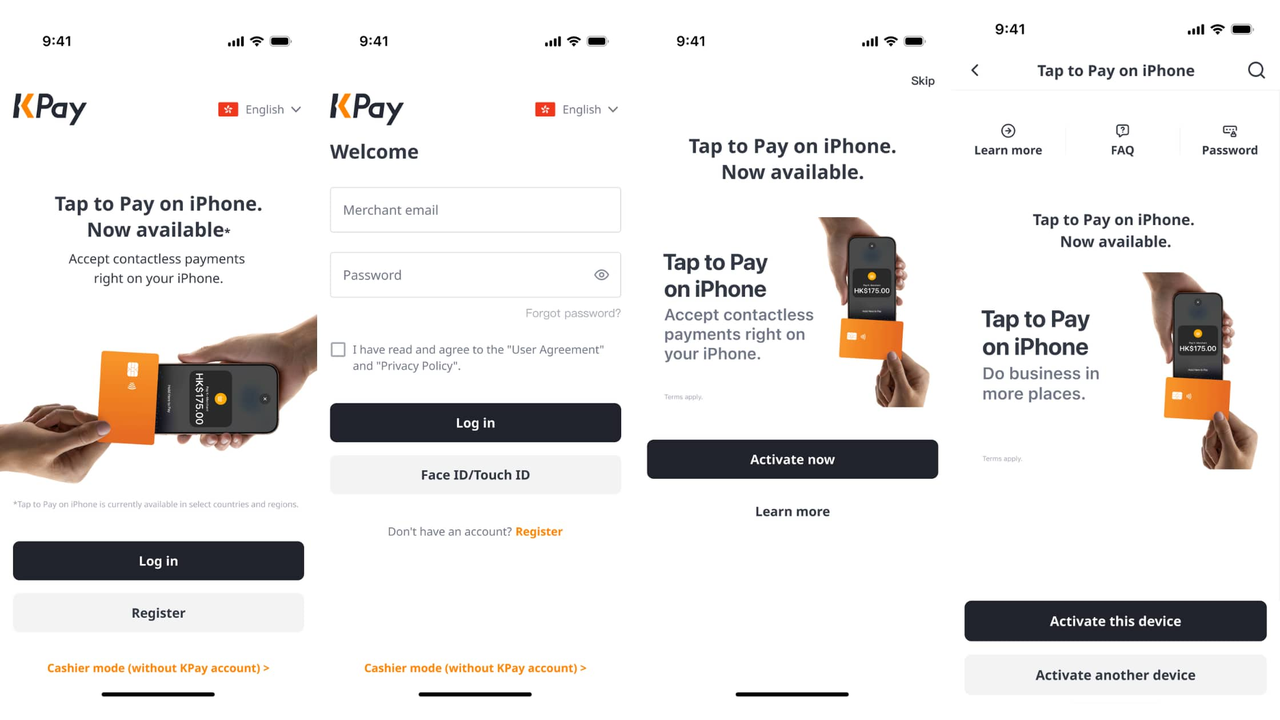
Quick & easy setup: Tap to Pay setup is fast and easy with the KPay app. For existing KPay merchants, simply log in and activate Tap to Pay on your device to start accepting payments with your phone — no extra onboarding or hardware is needed.
Secure and trusted payments: Tap to Pay is built to meet industry-standard security requirements, including PCI DSS compliance. Card details are encrypted and never stored on your device, so both you and your clients can transact with confidence.
How Tap to Pay can help different service providers
Technicians: Like most service providers, technicians typically invoice clients after the job is done, then wait for payment to come through. Payment can be collected instantly, no invoice needed.
Delivery drivers: Customers can pay for the delivery instantly, tip the driver immediately without the hassle of digging for cash or fumbling with a separate banking app.
Wedding photographers: As wedding photography sessions are typically paid for in parts, depending on the number of sessions, or package payment terms agreed on between the client and photographer. Payment can now be collected instantly by the end of the session, instead of having to wait for the customer to pay upon receipt of the invoice.
Activating Tap to Pay on your mobile phone with the KPay app
If you're already an existing KPay merchant, activating Tap to Pay on your phone is a simple and quick process:
Open the KPay App
Log in to your KPay Merchant account
Tap on the Tap to Pay banner on the homepage, and select "Activate now"
Activate Tap to Pay for the device you're currently using, or activate it on your preferred device
You're ready to use Tap to Pay for your business!
How to start using Tap to Pay on your phone
When Tap to Pay is successfully activated on your phone, you and your team can start accepting contactless paymentsimmediately by activating cashier mode in 5 easy steps, even without access to KPay accounts.
Open the KPay Merchant App, and tap "Cashier mode (Without KPay account)" at the bottom of the screen.
Enter the device name and device code, or scan the QR code to link your device.
Tap "Activate now" after the primary account holder has approved on the app.
Follow the instructions to set up your PIN.
Start accepting payments using the linked device.
Start accepting payments on the go with Tap to Pay
For on-the-go service providers in Hong Kong, adding Tap to Pay to your arsenal of payment options means you're never caught without a way to collect payments. Learn why Tap to Pay is essential for Hong Kong businesses, and discover the array of mobile payment options available for businesses on the go.
FAQ
Do I need a card reader for Tap to Pay?
No. All you need is your mobile phone, and Tap to Pay can be set up through your KPay app.
Is Tap to Pay safe for on-site payments?
Yes. Tap to Pay is compliant with industry-level security standards, including PCI DSS compliance guidelines.
Can I still send a receipt without sending an invoice?
Yes. Your customer can obtain a receipt via email, or by scanning a QR code.
Does Tap to Pay work for tips and deposits?
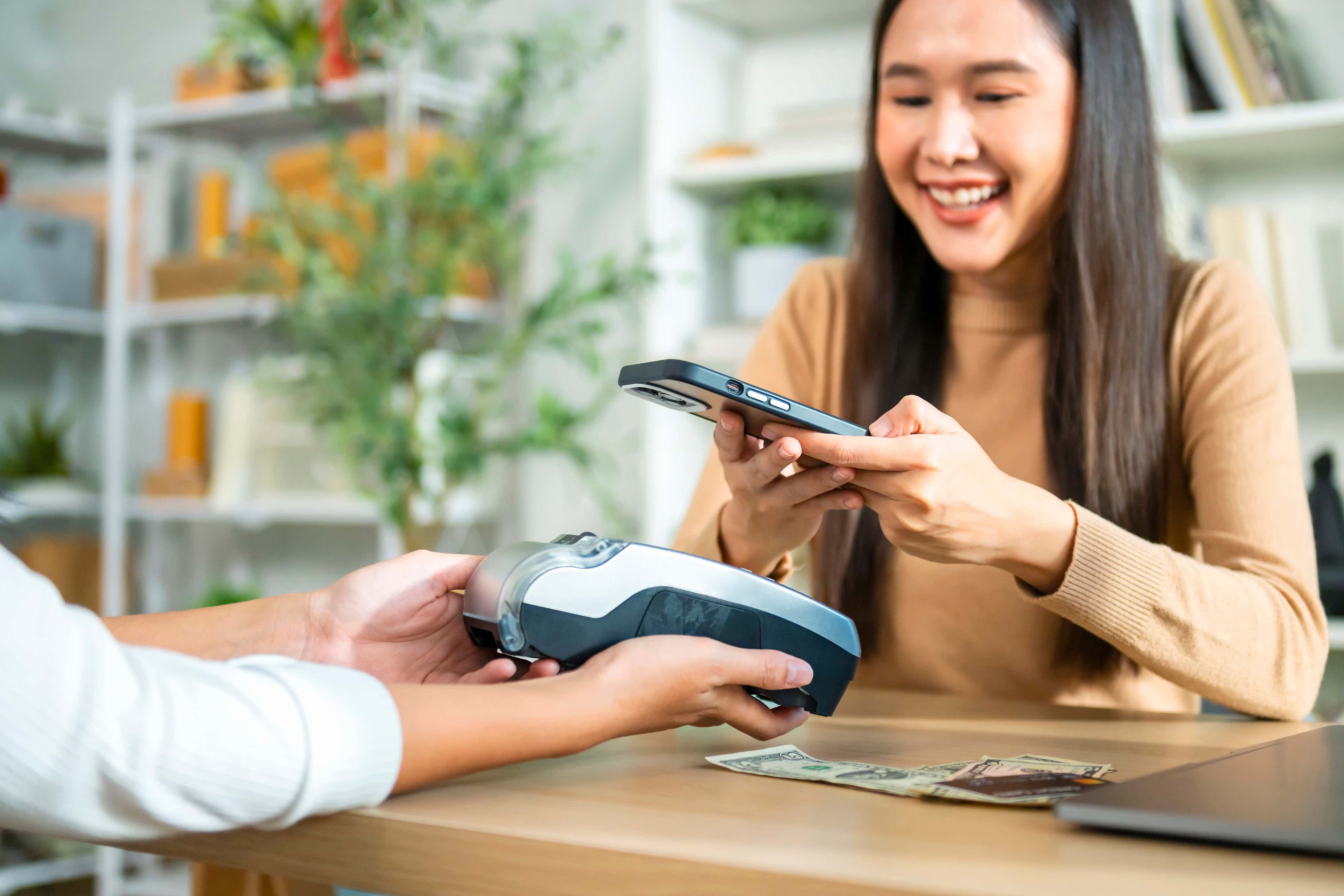
Yes. All you need to do is key in the required amount for payment, then let your customer tap their NFC-enabled device or their credit or debit card with an NFC chip on your mobile phone.